CppDepend is a powerful tool to analyze, improve, and maintain your C and C++ codebases. This guide walks you through setting it up on Windows, including Visual Studio integration, your first analysis, and understanding the results.
- Download: CppDepend Download
- Unzip it in a folder outside of Program Files (e.g.,
C:\CppDepend) - Launch
VisualCppDepend.exe
⚠️ Avoid installing inProgram Filesdue to Windows permission issues.
Launch VisualCppDepend.exe and create a new project:
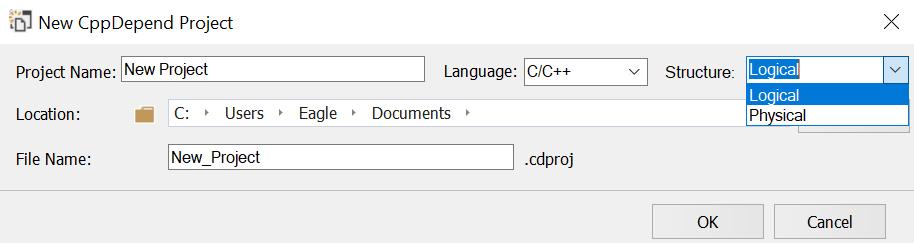
You can structure your view by:
-
Logical structure (by namespaces):
-
Physical structure (by folders/files):
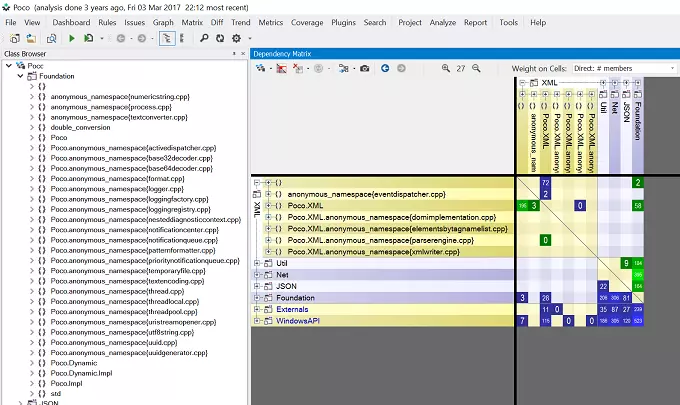
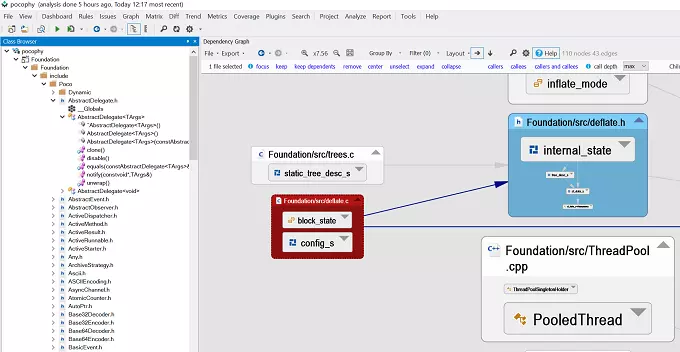
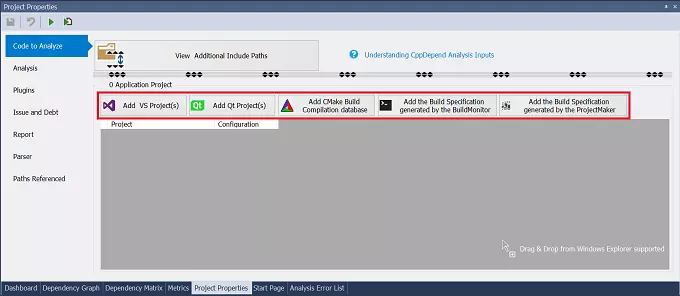
CppDepend supports:
.sln,.vcxproj(Visual Studio)- QtCreator projects
compile_commands.json(CMake/Ninja)- Custom builds via BuildMonitor
- Manual setup via ProjectMaker
Press F5 to start the analysis.
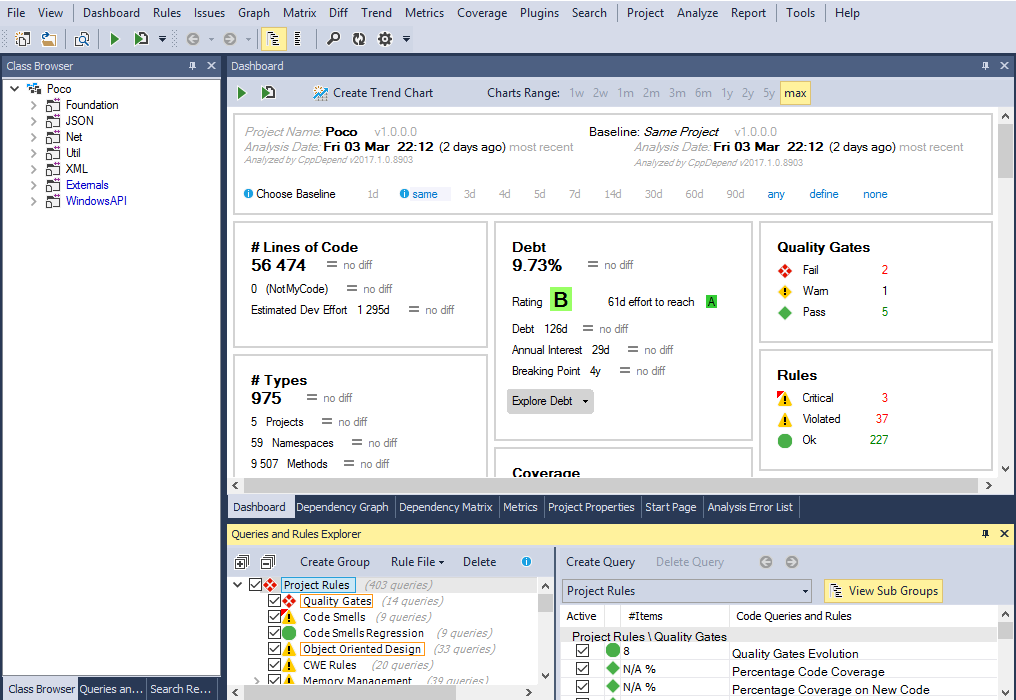
You’ll get an interactive dashboard with detailed metrics, graphs, and navigation tools.
Run the following installer:
CppDepend.VisualStudioExtension.Installer.exeOr use the in-app installer via VisualCppDepend.exe.
Then:
- Open Visual Studio
- Attach the CppDepend project to your
.sln - Launch analysis and view results inside Visual Studio
CppDepend provides insights such as:
- 🔢 Code and project-level metrics
- 🧠 Interactive dependency and architecture graphs
- 🔄 Build order and cycle detection
- 📉 Abstractness vs. Instability visualization
- ❌ Rule violations (CQLinq)
- 📈 Maintainability trends and quality evolution
- Customize rules using CQLinq
- Configure quality gates
- Filter metrics and tailor dashboards
- Understand how metrics relate to maintainability