Disclaimer: This document was bootstapped using Github Copilot and GPT-4o. The content has been re-written for accuracy.
This documentation provides information on the API endpoints available in the MP Visualize module. These endpoints allow you to interact with bookmarks and user layers.
Method: RPC: 'add_bookmark'
Description: Adds a new bookmark.
Parameters:
name(string): The name of the bookmark.description(string): The description of the bookmark.url_hash(string): The URL hash of the bookmark.json(string): The JSON representation of the bookmark.
Response:
200 OK: A JSON object containing the details of the added bookmark.
Method: RPC: 'get_bookmarks'
Description: Retrieves a list of all bookmarks for the current user.
Response:
200 OK: A JSON array containing the details of all bookmarks.{ "jsonrpc": "2.0", "id": "", "result": [ { "uid": "visualize_bookmark_123", "name": "Foo", "description": null, "hash": "x=-73.92&y=39.31&z=9&logo=true&controls=true&dls%5B%5D=true&dls%5B%5D=0.5&dls%5B2%5D=&dls%5B%5D=true&dls%5B%5D=0.5&dls%5B5%5D=&dls%5B%5D=true&dls%5B%5D=0.5&dls%5B8%5D=&basemap=Ocean&tab=data&legends=false&layers=true", "sharing_groups": ["User Group 1"], "json": null }, { "uid": "visualize_bookmark_1634", "name": "RYAN: User-Added ArcFeatureServer Layers", "description": "Aids to Navigation and Coastal Barrier Resource System", "hash": "x=-74.66&y=39.19&z=12.76&logo=true&controls=true&dls%5B%5D=true&dls%5B%5D=0.98&dls%5B%5D=visualize_userlayer_11&dls%5B%5D=true&dls%5B%5D=0.81&dls%5B%5D=visualize_userlayer_12&basemap=ocean&tab=designs&legends=false&layers =true", "sharing_groups": [], "json": "{\"x\":\"-74.66\",\"y\":\"39.19\",\"z\":12.76,\"basemap\":\"ocean\",\"layers\":[{\"visible\":true,\"opacity\":0.98,\"type\":\"ArcFeatureServer\",\"url\":\"https://coast.noaa.gov/arcgismc/rest/services/Hosted/AtoNs/Feature Server/\",\"name\":\"Hosted/AtoNs\",\"id\":\"visualize_userlayer_11\",\"order\":0,\"dynamic\":true,\"isUserLayer\":true,\"isMDAT\":false,\"isVTR\":false,\"arcgislayers\":\"0\"},{\"visible\":true,\"opacity\":0.81,\"type\":\"ArcFeat ureServer\",\"url\":\"https://coast.noaa.gov/arcgismc/rest/services/Hosted/CoastalBarrierResourceSystem/FeatureServer/\",\"name\":\"Hosted/Coastal Barrier Resource System\",\"id\":\"visualize_userlayer_12\",\"order\":1,\"dynamic\" :true,\"isUserLayer\":true,\"isMDAT\":false,\"isVTR\":false,\"arcgislayers\":\"0\"}],\"themes\":{\"ids\":[]},\"panel\":\"true\",\"legends\":\"false\",\"logo\":true}" }, { "uid": "visualize_bookmark_1889", "name": "Monty Shapes", "description": "", "hash": "x=-74.79&y=38.16&z=10.20717889389412&logo=true&controls=true&dls%5B%5D=true&dls%5B%5D=0.5&dls%5B%5D=76&dls%5B%5D=true&dls%5B%5D=0.5&dls%5B%5D=78&dls%5B%5D=true&dls%5B%5D=0.5&dls%5B%5D=77&dls%5B%5D=true&dls%5B%5D=0.5&dls%5B%5D=75&dls%5B%5D=true&dls%5B%5D=0.5&dls%5B%5D=74&dls%5B%5D=true&dls%5B%5D=0.5&dls%5B%5D=drawing_aoi_1477&basemap=ocean&tab=designs&legends=true&layers=true", "shared": true, "shared_by_user": 183, "shared_to_groups": [ "Critters!" ], "shared_by_name": "jay_odell", "json": "{\"x\":\"-74.79\",\"y\":\"38.16\",\"z\":10.20717889389412,\"basemap\":\"ocean\",\"layers\":[{\"visible\":true,\"opacity\":0.5,\"type\":\"ArcRest\",\"url\":\"https://maritimeboundaries.noaa.gov/arcgis/rest/services/MaritimeBoundaries/US_Maritime_Limits_Boundaries/MapServer/export\",\"name\":\"12NM Territorial Sea\",\"id\":76,\"order\":0,\"dynamic\":false,\"isUserLayer\":false,\"isMDAT\":false,\"isVTR\":false,\"arcgislayers\":\"1\"},{\"visible\":true,\"opacity\":0.5,\"type\":\"ArcRest\",\"url\":\"https://maritimeboundaries.noaa.gov/arcgis/rest/services/MaritimeBoundaries/US_Maritime_Limits_Boundaries/MapServer/export\",\"name\":\"200NM EEZ and Maritime Boundaries\",\"id\":78,\"order\":1,\"dynamic\":false,\"isUserLayer\":false,\"isMDAT\":false,\"isVTR\":false,\"arcgislayers\":\"3\"},{\"visible\":true,\"opacity\":0.5,\"type\":\"ArcRest\",\"url\":\"https://maritimeboundaries.noaa.gov/arcgis/rest/services/MaritimeBoundaries/US_Maritime_Limits_Boundaries/MapServer/export\",\"name\":\"24NM Contiguous Zone\",\"id\":77,\"order\":2,\"dynamic\":false,\"isUserLayer\":false,\"isMDAT\":false,\"isVTR\":false,\"arcgislayers\":\"2\"},{\"visible\":true,\"opacity\":0.5,\"type\":\"ArcRest\",\"url\":\"/visualize/proxy?layer_id=75&url=https%3A%2F%2Fgis.boem.gov%2Farcgis%2Frest%2Fservices%2FBOEM_BSEE%2FMMC_Layers%2FMapServer%2Fexport%3F&proxy_params=true&proxy_tech=MapServer\",\"name\":\"Limit of OCSLA '8(g)' zone\",\"id\":75,\"order\":3,\"dynamic\":false,\"isUserLayer\":false,\"isMDAT\":false,\"isVTR\":false,\"arcgislayers\":\"7\"},{\"visible\":true,\"opacity\":0.5,\"type\":\"ArcRest\",\"url\":\"/visualize/proxy?layer_id=74&url=https%3A%2F%2Fgis.boem.gov%2Farcgis%2Frest%2Fservices%2FBOEM_BSEE%2FMMC_Layers%2FMapServer%2Fexport%3F&proxy_params=true&proxy_tech=MapServer\",\"name\":\"Submerged Lands Act Boundary\",\"id\":74,\"order\":4,\"dynamic\":false,\"isUserLayer\":false,\"isMDAT\":false,\"isVTR\":false,\"arcgislayers\":\"8\"},{\"visible\":true,\"opacity\":0.5,\"type\":\"Vector\",\"name\":\"Monty shapes\",\"id\":\"drawing_aoi_1477\",\"order\":5,\"dynamic\":false,\"isUserLayer\":false,\"arcgislayers\":null}],\"themes\":{\"ids\":[]},\"panel\":\"true\",\"legends\":\"true\",\"logo\":true}" } ] }
A note regarding this response:
Close inspection will reveal that there are some inconsistencies in the fields that come back. uid, name, description, hash, and json appear in each result item. Those that are owned by the user include the extra field sharing_groups to list the names of groups the user has shared this bookmark with (if any). Results shared with groups that the user belongs to, but do not belong to the user instead have the fields shared, shared_by_user, shared_to_groups, and shared_by_name.
results fields breakdown:
| Field | Type | Example | user owns | Notes |
|---|---|---|---|---|
| uid | str | "visualize_bookmark_123" | all | |
| name | str | "Bookmark 123" | all | |
| description | str | "a new bookmark!" | all | May be null or "" |
| hash | str | "x=-124.3&y=41.2&z..." | all | The only 100% reliable description of desired behavior |
| sharing_groups | list | ["User Group 1"] | true | |
| json | str | "{\"x\":\"-124.3\",\"y\":\"41.2\",\"z\"" | all | Parsed version of hash. Unfortunately old records are null |
| shared | bool | true | false | Indicates if this record is being shared from another user |
| shared_by_user | int | 123 | false | The ID of the user who owns this bookmark |
| shared_to_groups | list | ["User Group 2"] | ||
| shared_by_name | str | "The Rock" | false | User-readable name to help identify bookmark owner |
|
Parsing the hash or json:
The hash value is the ONLY sure way you can extract the map state from the bookmark. It is the query-string description of the map state you can find in your browser when using the desktop map. Since the addition of bookmarks, a new json field has been added to prevent the need to parse the hash, but as of yet, no data migration has been made to populate this 'json' value for all records. This section will outline how to interpret both.
Map Focus
| Field | Type | Notes |
|---|---|---|
| x | float | The longitude in WGS84 |
| y | float | The latitude in WGS84 |
| z | float | The zoom level: see Esri, OSM |
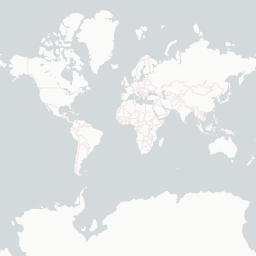
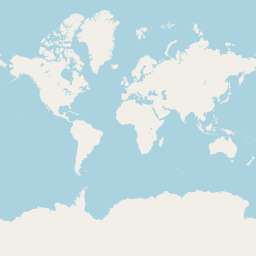
| basemap | str | Descriptive name for the base layer: "ocean" (default), "streets", "topo", "satellite", "nautical", "gray", "nationalmap", "osm" |
|
UI State
This is less useful for an external API
| Field | Type | Notes |
|---|---|---|
| themes | obj | Contains a single key 'ids' whose value is a list of Theme IDs to open by default. This is not fully operational for the mp Layers module |
| logo | boolean | Show the portal logo (false for embeddable view) |
| controls* | boolean | Show the controls (false for collapsed left-nav). Called 'panel' in json |
| panel* | boolean | Show the controls (false for collapsed left-nav). Called 'controls' in hash |
| tab | str | Specifies which left nav tab to open: "data", "active", "legend", "designs" ( for "MyPlanner") |
| legends | bool | Unclear |
| layers | bool | Unclear. When false seems to collapse the left nav panel |
|
Layers
Here is where hash and json differ most. Both methods represent an array of values representing the layers from bottom to top (the first layer represented will be shown beneath all others). However, hash is composed of triplets of compressed data meant to fit in your browser address bar, where json can include all information needed to load the layer in a map without needing additional context.
hash- This looks like
&dls%5B%5D=true&dls%5B%5D=0.8&dls%5B%5D=3940which gets decoded as&dls[]=true&dls[]=0.8&dls[]=3940. Read this as:- Visibility (true/false) -- layers can be activated but not shown in the portal
- Opacity (float 0.0 to 1.0) --whether or not the layer comes in with any opacity
- id (int) the ID of the layer
- This looks like
json- Coming soon...
Method: RPC
Description: Retrieves a bookmark by ID.
Parameters:
bookmark_id(integer): The ID of the bookmark to retrieve.
Response:
200 OK: A JSON object containing the details of the bookmark.
Method: RPC
Description: Removes a bookmark by ID.
Parameters:
key(string): The key of the bookmark to remove.
Response:
200 OK: A success message.
Method: RPC
Description: Shares a bookmark with specified groups.
Parameters:
bookmark_uid(string): The UID of the bookmark to share.group_names(array): An array of group names to share the bookmark with.
Response:
200 OK: A success message.
Method: RPC
Description: Adds a new user layer.
Parameters:
name(string): The name of the user layer.description(string): The description of the user layer.url(string): The URL of the user layer.layer_type(string): The type of the user layer.arcgis_layers(string): The ArcGIS layers of the user layer.
Response:
200 OK: A JSON object containing the details of the added user layer.
Method: RPC
Description: Retrieves a list of all user layers for the current user.
Response:
200 OK: A JSON array containing the details of all user layers.
Method: RPC
Description: Retrieves a user layer by ID.
Parameters:
user_layer_id(integer): The ID of the user layer to retrieve.
Response:
200 OK: A JSON object containing the details of the user layer.
Method: RPC
Description: Removes a user layer by ID.
Parameters:
key(string): The key of the user layer to remove.
Response:
200 OK: A success message.
Method: RPC
Description: Shares a user layer with specified groups.
Parameters:
user_layer_uid(string): The UID of the user layer to share.group_names(array): An array of group names to share the user layer with.
Response:
200 OK: A success message.
rpc.call('add_bookmark', {
  name: 'Example Bookmark',
  description: 'This is an example bookmark.',
  url_hash: 'abc123',
  json: '{"example": "data"}'
})rpc.call('get_bookmarks')rpc.call('load_bookmark', { bookmark_id: 1 })rpc.call('remove_bookmark', { key: 'bookmark_1' })rpc.call('share_bookmark', {
bookmark_uid: 'bookmark_1',
group_names: ['Group1', 'Group2']
})rpc.call('add_user_layer', {
name: 'Example User Layer',
description: 'This is an example user layer.',
url: 'http://example.com/layer',
layer_type: 'WMS',
arcgis_layers: 'Layer1,Layer2'
})rpc.call('get_user_layers')rpc.call('load_user_layer', { user_layer_id: 1 })rpc.call('remove_user_layer', { key: 'user_layer_1' })rpc.call('share_user_layer', {
user_layer_uid: 'user_layer_1',
group_names: ['Group1', 'Group2']
})- Ensure that you have the necessary permissions to access these endpoints.
- The responses are in JSON format.
- The
bookmark_idanduser_layer_idshould be valid integers representing existing bookmarks and user layers, respectively.
For further assistance, please contact the support team.