Official Documentation: https://api-docs.deepseek.com/zh-cn/
Note: For users outside China, we recommend using large language models such as Gemini, Claude, or ChatGPT for the best experience.
-
Apply for API Key
- Visit platform: https://platform.deepseek.com/usage
- Log in and apply for API Key
⚠️ Important: Save the obtained API Key securely
-
Configuration Parameters
- Model Name:
deepseek-chat - Base URL:
https://api.deepseek.com/v1 - API Key: Fill in the Key obtained in the previous step
- Model Name:
-
API Configuration
- Web Usage:
- In the LLM model dropdown, select Custom Model, then fill in the model settings according to your configuration parameters.
- Or, open
config.toml, locate[llm], and configuremodel,base_url, andapi_key. The model you entered will then appear in the dropdown on the Web page.
- CLI:
- If you prefer the CLI entry point, you need to open
config.toml, locate[llm], and configuremodel,base_url, andapi_key.
- If you prefer the CLI entry point, you need to open
- Web Usage:
API Key Management: https://open.bigmodel.cn/usercenter/proj-mgmt/apikeys
- Model Name:
glm-4.6v - Base URL:
https://open.bigmodel.cn/api/paas/v4/
API Key Management: Go to Alibaba Cloud Bailian Platform to apply for an API Key https://bailian.console.aliyun.com/cn-beijing/?apiKey=1&tab=globalset#/efm/api_key
-
Model Name:
qwen3-vl-8b-instruct -
Base URL:
https://dashscope.aliyuncs.com/compatible-mode/v1 -
Parameter Configuration:
- Web Usage:
- In the VLM model dropdown, select Custom Model, then fill in the model settings according to your configuration parameters.
- Or, open
config.toml, locate[vlm], and configuremodel,base_url, andapi_key. The model you entered will then appear in the dropdown on the Web page.
- CLI:
- If you prefer the CLI entry point, you need to open
config.toml, locate[vlm], and configuremodel,base_url, andapi_key.
- If you prefer the CLI entry point, you need to open
- Web Usage:
Qwen3-Omni can also be applied for through the Alibaba Cloud Bailian Platform. The specific parameters are as follows, which can be used for automatic labeling music in omni_bgm_label.py
- Model Name:
qwen3-omni-flash-2025-12-01 - Base URL:
https://dashscope.aliyuncs.com/compatible-mode/v1
For more details, please refer to the documentation: https://bailian.console.aliyun.com/cn-beijing/?tab=doc#/doc
Model List: https://help.aliyun.com/zh/model-studio/models
Billing Dashboard: https://billing-cost.console.aliyun.com/home
- Open the Pexels website, register an account, and apply for an API key at https://www.pexels.com/api/
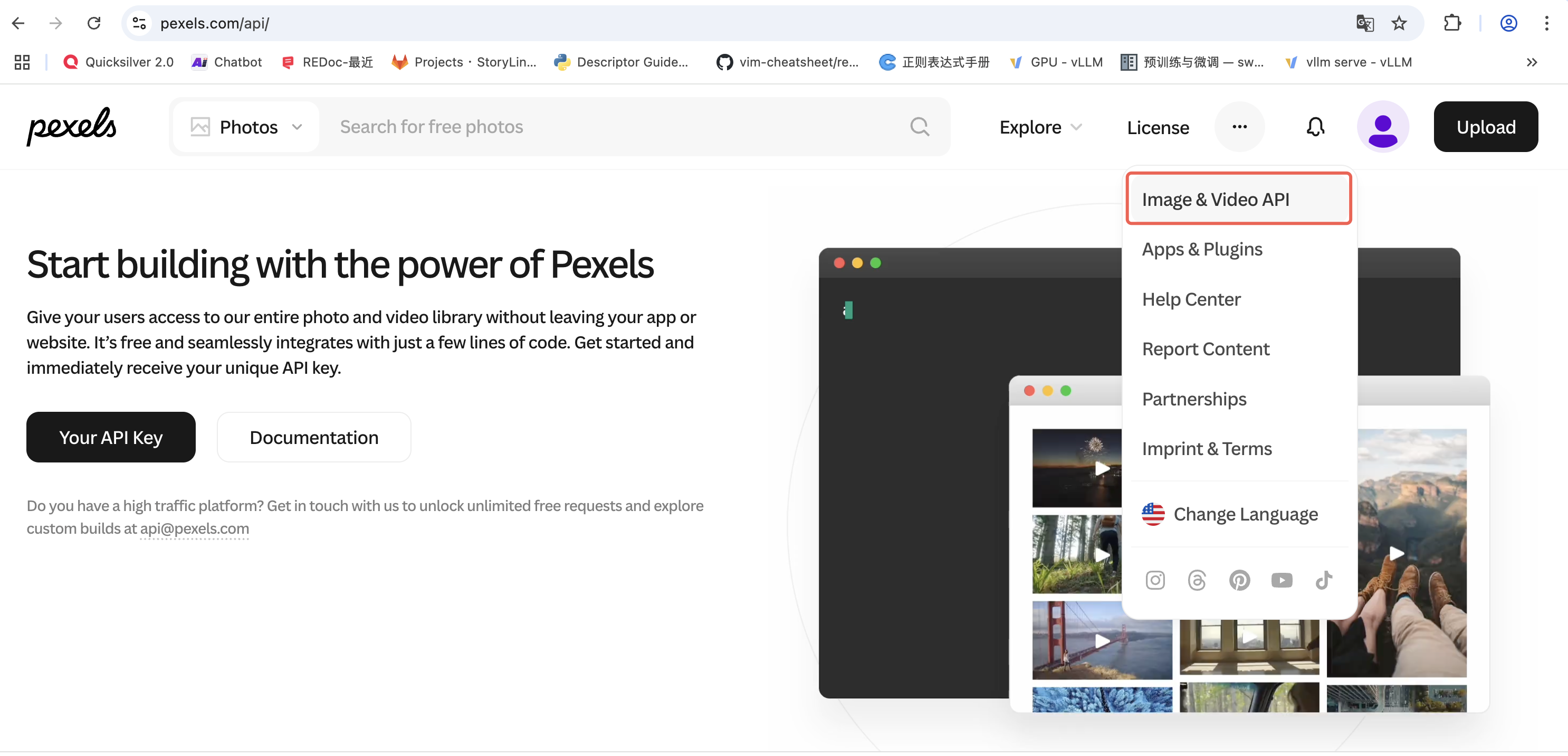
Figure 1: Pexels API Application Page
- Web Usage: Locate the Pexels configuration, select "Use custom key", and enter your API key in the form.
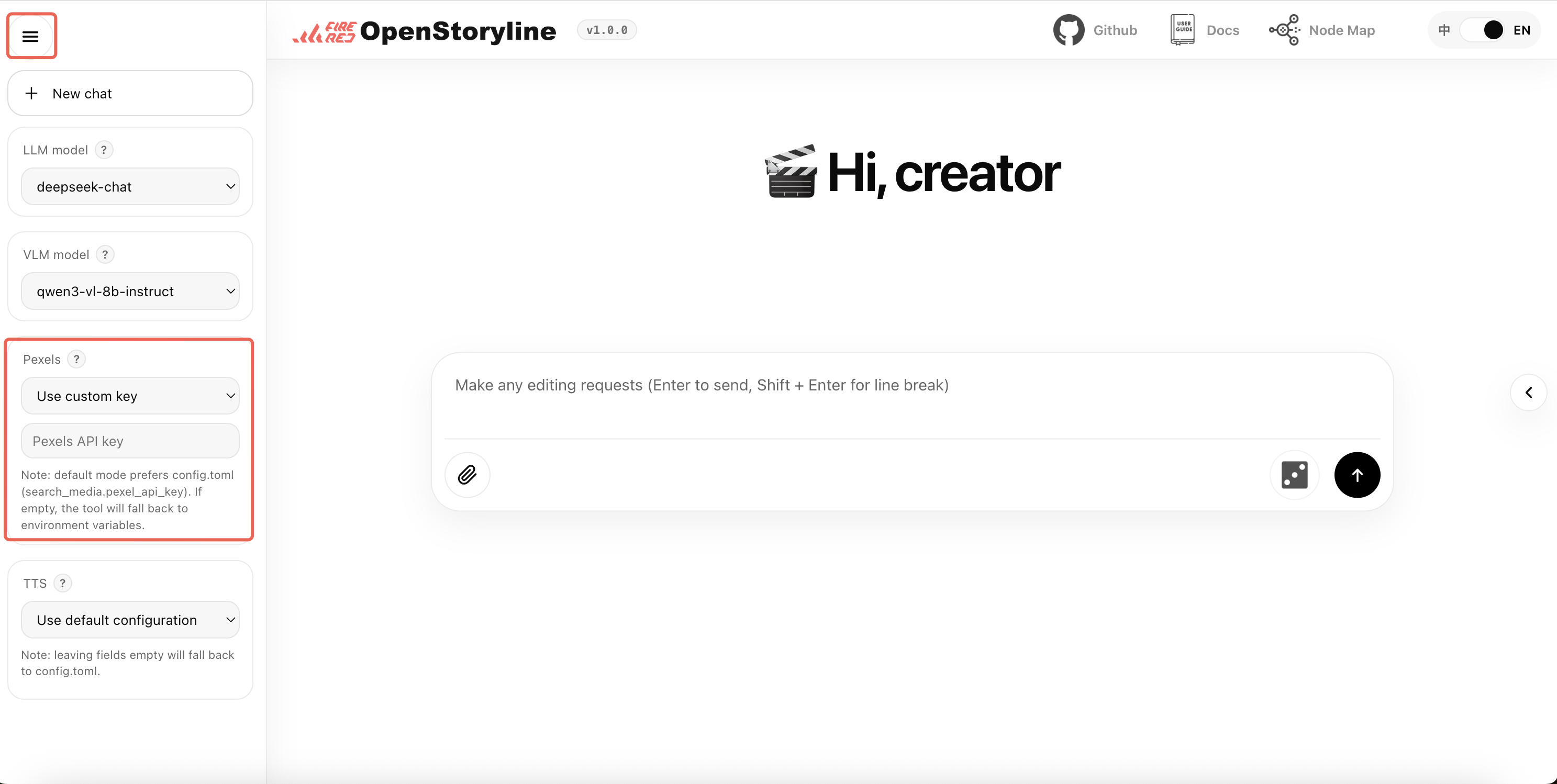
Figure 2: Pexels API Usage
- Local Deployment: Fill in the API key in the
pexels_api_keyfield in theconfig.tomlfile as the default configuration for the project.
-
Service URL: https://platform.minimaxi.com/docs/api-reference/speech-t2a-http
-
API Key Base Url: https://api.minimax.chat/v1/t2a_v2
-
Configuration Steps:
- Create API Key
- Visit: https://platform.minimax.io/user-center/basic-information/interface-key
- Obtain and save API Key
-
Step 1: Enable Audio/Video Subtitle Generation Service Use the legacy page to find the audio/video subtitle generation service:
-
Step 2: Obtain Authentication Information View the account basic information page:
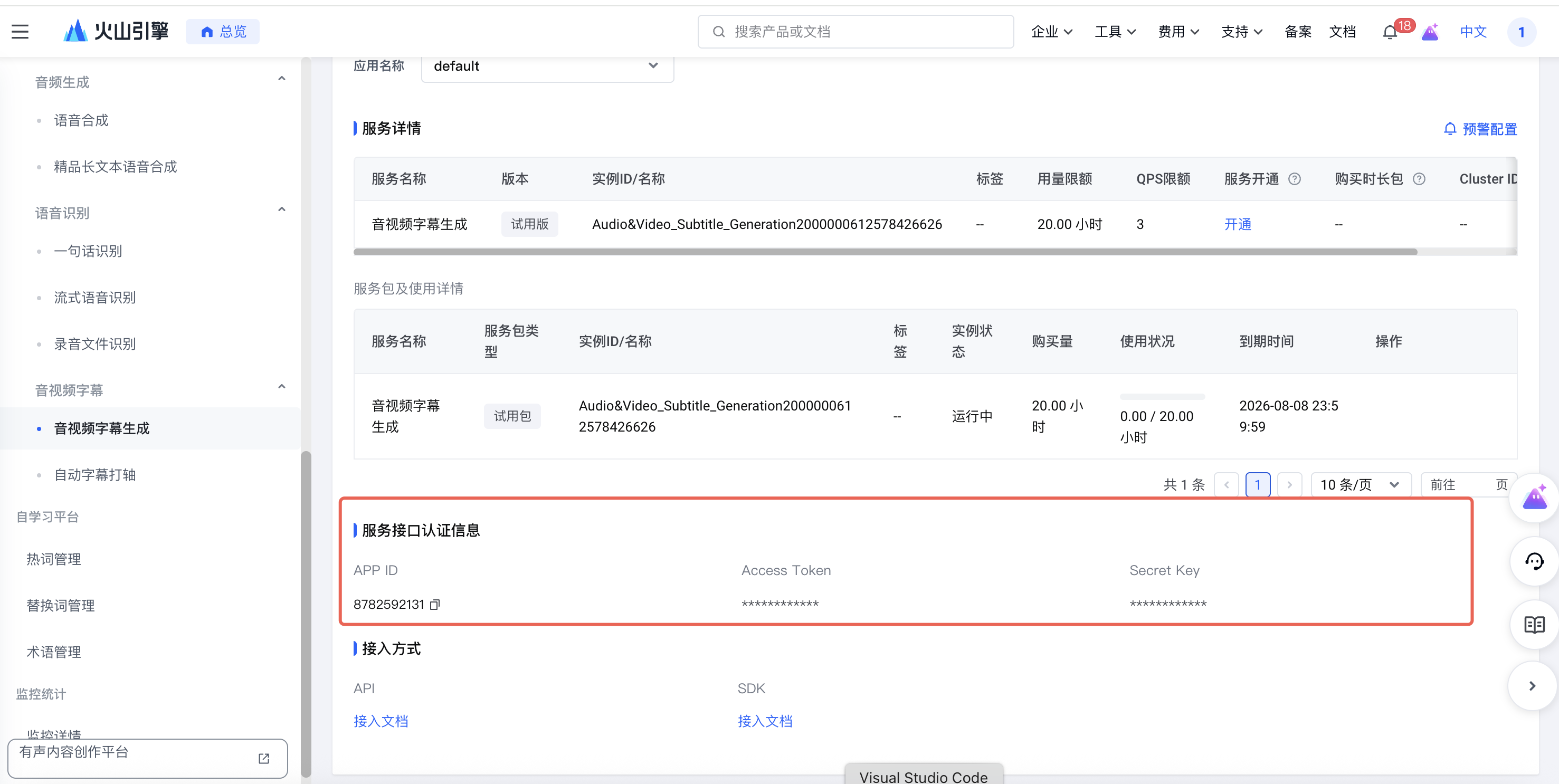
Figure 3: Bytedance TTS API Usage
You need to obtain the following information:
- UID: The ID from the main account information
- APP ID: The APP ID from the service interface authentication information
- Access Token: The Access Token from the service interface authentication information
For local deployment, modify the config.toml file:
[generate_voiceover.providers.bytedance]
uid = ""
appid = ""
access_token = ""
For detailed documentation, please refer to: https://www.volcengine.com/docs/6561/80909
- Service URL: https://302.ai/product/detail/302ai-mmaudio-text-to-speech
- API Key Base url:https://api.302.ai
Before you start: AI transitions trigger additional model calls. Transitions are generated clip by clip between adjacent segments, so the more clips you have and the finer the shot splitting is, the higher the number of calls will usually be. As a result, resource usage is typically significantly higher than standard copywriting or voiceover workflows.
Output quality note: The current transition description is generated from the first and last frames of adjacent clips by a vision model, while clip ordering is determined by the language model. Final results can therefore vary depending on frame content, prompts, model versions, and service-side behavior. Some randomness is expected, and output may not match expectations every time.
Recommendation: Start with a small test run, review the results, and then scale up if the quality and cost are acceptable. Please also check your account balance and provider billing rules in advance.
-
In most cases, the API key you already use for MiniMax LLM or TTS services can also be used for Hailuo video generation. If you already have one, you can reuse it directly. If not, create one from the MiniMax API platform by following the official Quick Start.
-
You can use
MiniMax-Hailuo-02, or check the official Video Generation documentation for newer supported model names.
-
In most cases, the API key you already use for Alibaba Cloud Model Studio LLM services can also be used for Wan video generation. If you already have one, you can reuse it directly. If not, follow the official guide to get an API key.
-
We recommend
wan2.2-kf2v-flash, or you can check the official first-and-last-frame image-to-video guide for more supported model names and usage details.
- All API Keys must be kept secure to avoid leakage
- Ensure sufficient account balance before use
- Regularly monitor API usage and costs