- Update your Ubuntu install's packages.
- Provide a workaround for dropped Intel AX210 wifi.
- We are NOT recommending an OEM kernel at this time, this may change in the future. Default kernel is where you need to be.
- Browse to the upper left corner, click the horizontal line to open the menu.
- Type out the word terminal, click to open it.
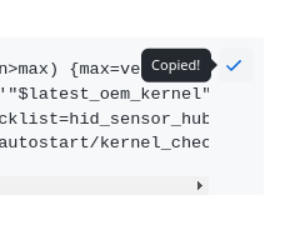
- Click on the small icon shown in the image below to copy the code below in the gray box, right click/paste it into the terminal window.
- Then press the enter key, user password, enter key, reboot.
sudo apt update && sudo apt upgrade -y && sudo snap refresh
TIP: You can use the little clipboard icon to the right of the code to copy to your clipboard.
Step 2 Disable power save for Intel Wi-Fi (note, there appears to be a regression where Wi-Fi drops off on AX210 cards, this will serve as a workaround)
- Browse to the upper left corner, click the horizontal line to open the menu.
- Type out the word terminal, click to open it.
- Click on the small icon shown in the image below to copy the code below in the gray box, right click/paste it into the terminal window.
sudo apt install iw && interface=$(nmcli -t -f active,device d wifi list | grep '^yes' | cut -d':' -f2) && echo -e "\n\033[1;33mInterface:\033[0m $interface" && iw dev $interface get power_save
This will indicate if your Wi-Fi power save is on or off. If it's on and you're seeing drops, continue to the next line.
sudo sed -i '/^wifi.powersave = 3$/s/3/2/' /etc/NetworkManager/conf.d/default-wifi-powersave-on.conf
This will change 3 into 2, which will disable powersave.
TIP: You can use the little clipboard icon to the right of the code to copy to your clipboard.
reboot.