中文 | English
This open-source demo shows how to use some APIs of the TRTC Flutter SDK to help you better understand the APIs and use them to implement some basic TRTC features.
This demo covers the following features (click to view the details of a feature):
- Basic Features
- Advanced Features
- Flutter 2.0or above
- Developing for Android:
- Android Studio 3.5 or above
- Devices with Android 4.1 or above
- Developing for iOS:
- Xcode 11.0 or above
- Your project has a valid developer signature.
You have signed up for a Tencent Cloud account and completed identity verification.
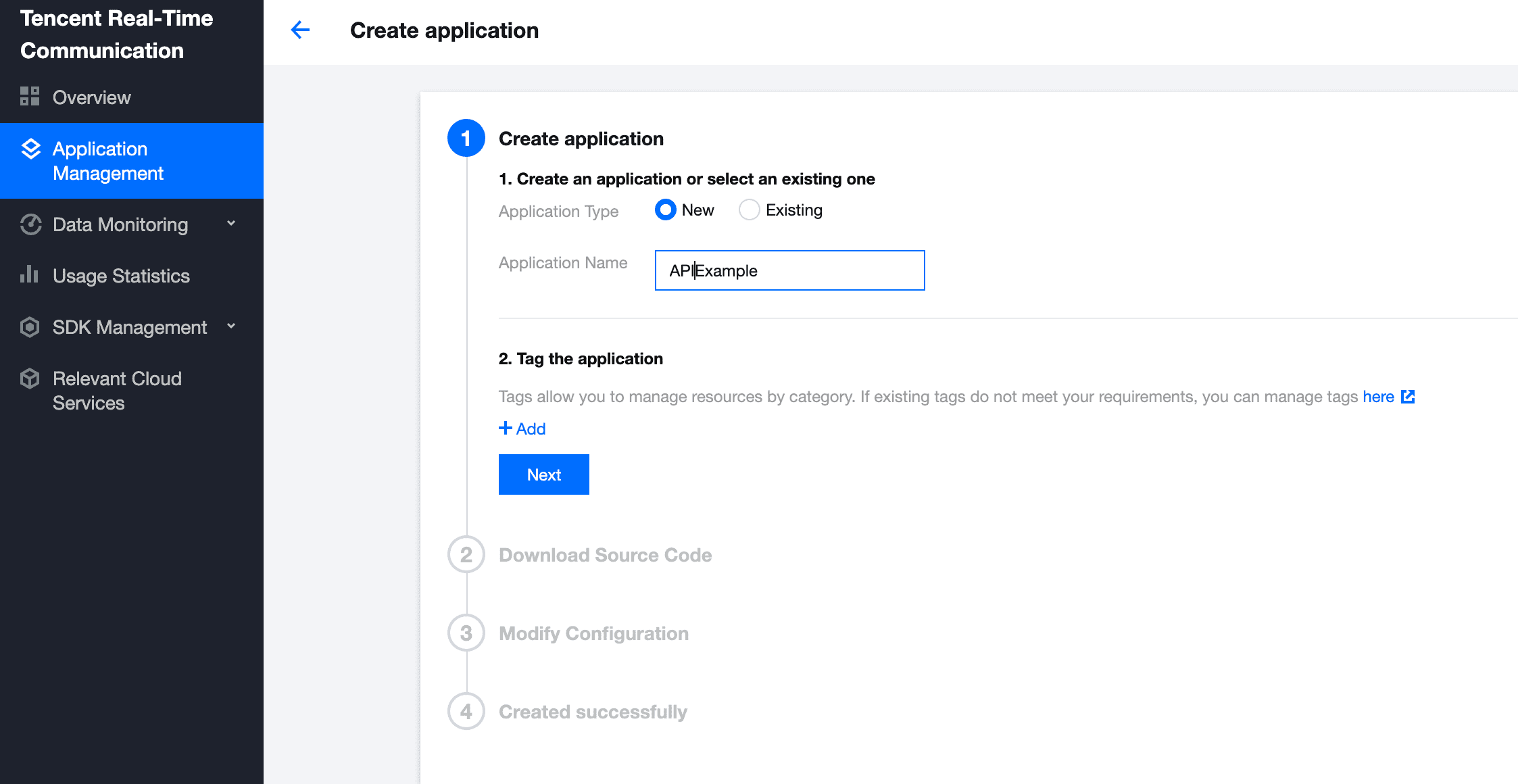
- Log in to the TRTC console and select Application Management > Create application.
- Click Create Application and enter the application name such as
APIExample. If you have already created an application, click Select Existing Application. - Click Next to view your
SDKAppIDand key.
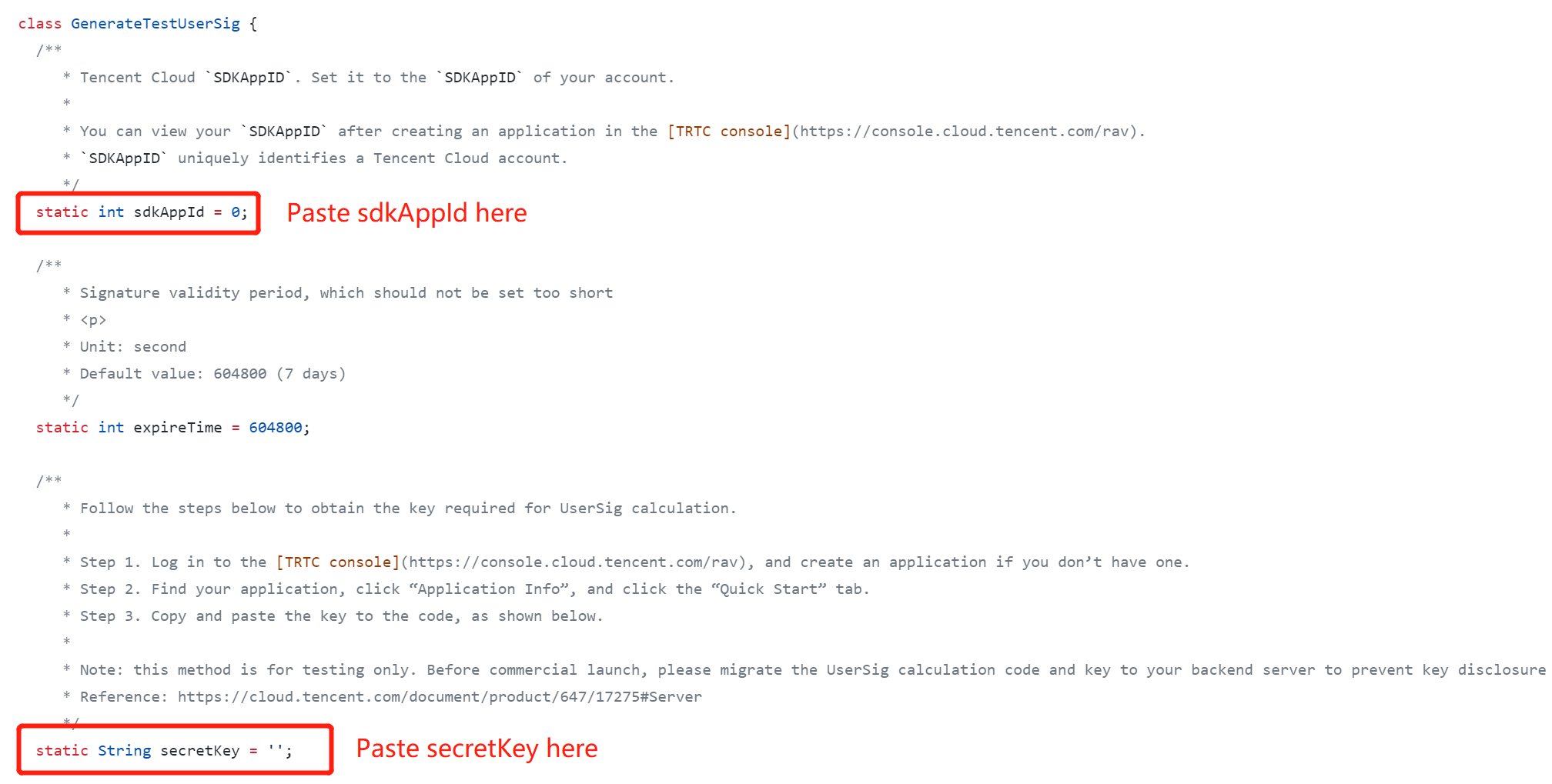
- Find and open
/lib/Debug/GenerateTestUserSig.dart. - Set parameters in
GenerateTestUserSig.dartas follows.
- SDKAPPID: a placeholder by default. Set it to the actual
SDKAppID.- SDKSECRETKEY: a placeholder by default. Set it to the actual key.
- Click Next to complete the creation.
- After compilation, click Return to Overview Page.
!The method for generating
UserSigdescribed in this document involves configuringSDKSECRETKEYin client code. In this method,SDKSECRETKEYmay be easily decompiled and reversed, and if your key is disclosed, attackers can steal your Tencent Cloud traffic. Therefore, this method is suitable only for the local execution and debugging of the demo.
The correct
UserSigdistribution method is to integrate the calculation code ofUserSiginto your server and provide an application-oriented API. WhenUserSigis needed, your application can make a request to the business server for dynamicUserSig. For more information, please see How to Calculate UserSig.
- Run
flutter pub get. - Compile, run, and debug the project.
- Run
flutter run. - Open the demo project with Android Studio (3.5 or above), and click Run.
- Run
pod install. - Open the
/iosdemo project in the source code directory with Xcode (11.0 or above) and compile and run the demo project.