- Open the project in Xcode, SampleCodePushApp/ios/SampleCodePushApp.xcodeproj
- Go to Product->Scheme->Edit Scheme
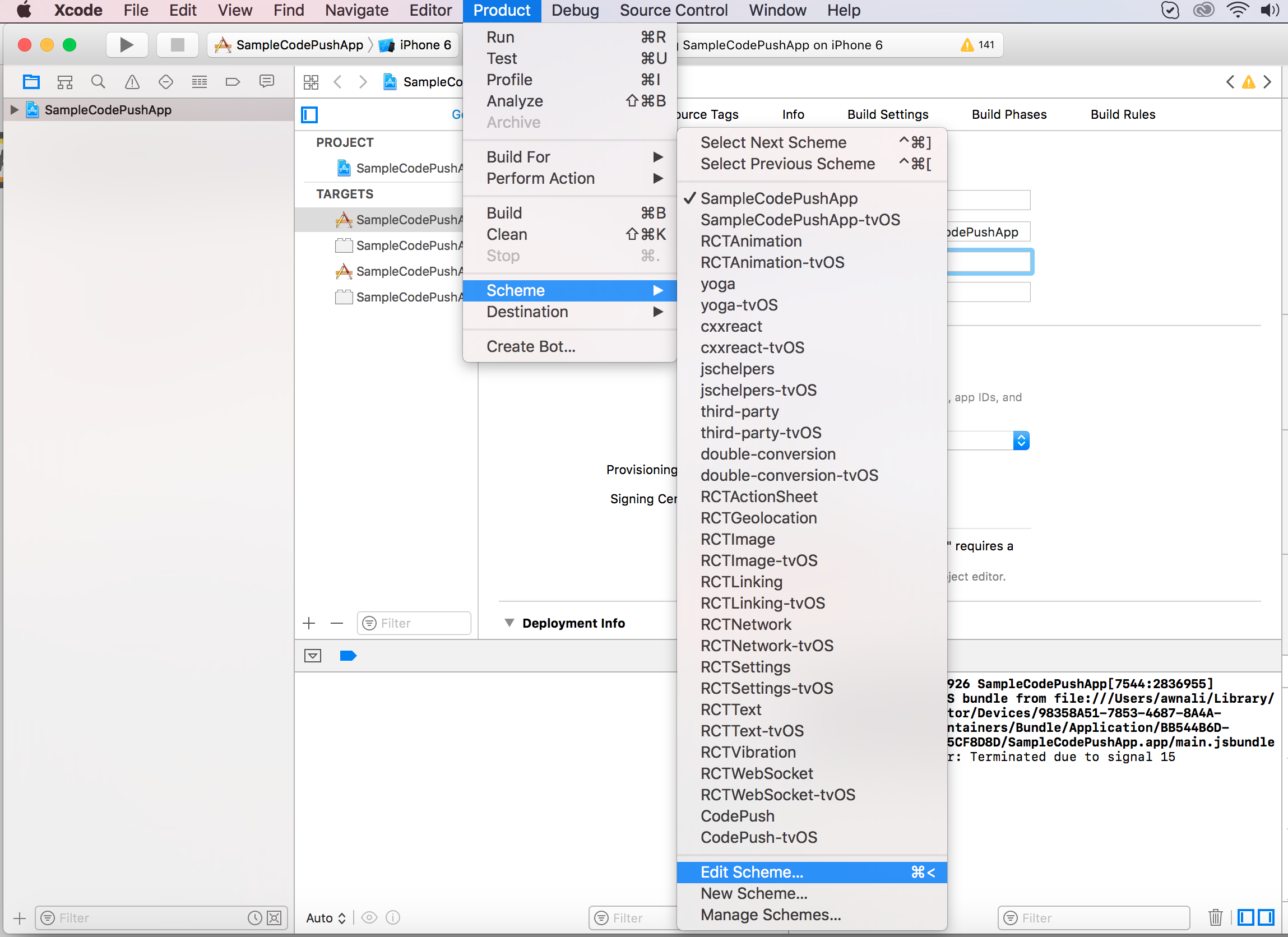
Change it from Debug to Release and Run application,
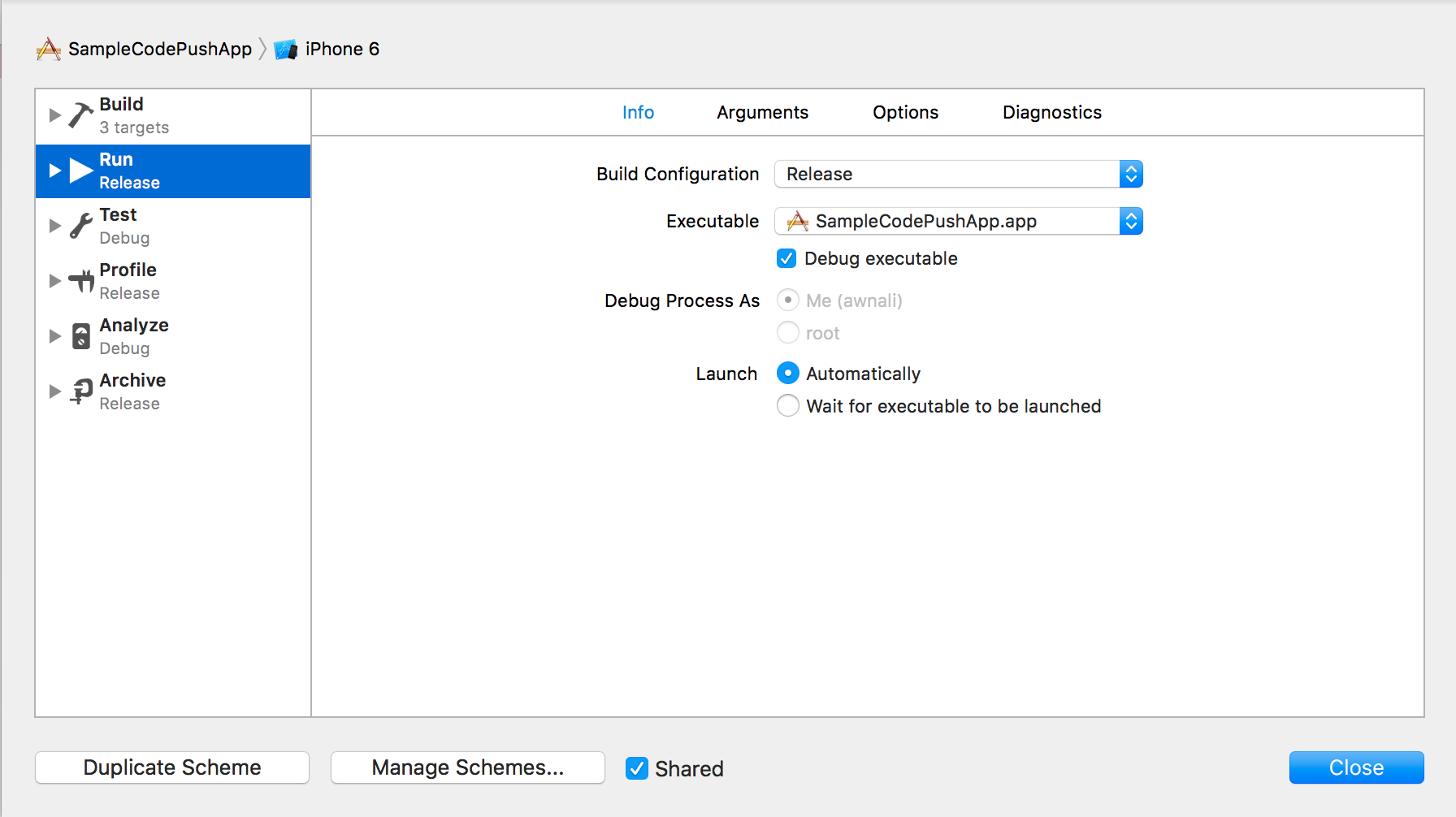
Run application from xcode in your simulator, and it should work like charm. If you want to run it on physical device you just have to sign to application and remove the test case project from build process.
keytool -genkey -v -keystore my-release-key.keystore -alias my-key-alias -keyalg RSA -keysize 2048 -validity 10000
It will generate the my-release-key.keystore file, you can get the Keytool in your jdk and in my case it was at /Library/Java/JavaVirtualMachines/jdk1.8.0_141.jdk/Contents/Home/bin (Mac), and in Windows it will be at C:\Program Files\Java\jdkx.x.x_x\bin
Copy the my-release-key.keystore file to your project’s android/app folder (Don’t forget to add this in your gitignore file)
Edit the file ~/.gradle/gradle.properties and add the following:
MYAPP_RELEASE_STORE_FILE=my-release-key.keystore
MYAPP_RELEASE_KEY_ALIAS=my-key-alias
MYAPP_RELEASE_STORE_PASSWORD=*****
MYAPP_RELEASE_KEY_PASSWORD=*****
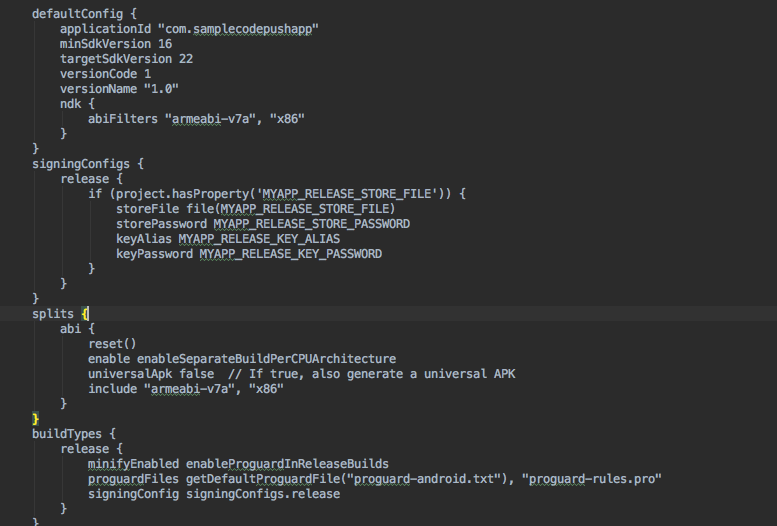
Edit your android/app/build.gradle file and add following lines under defaultConfig section:
signingConfigs {
        release {
            if (project.hasProperty('MYAPP_RELEASE_STORE_FILE')) {
                storeFile file(MYAPP_RELEASE_STORE_FILE)
                storePassword MYAPP_RELEASE_STORE_PASSWORD
                keyAlias MYAPP_RELEASE_KEY_ALIAS
                keyPassword MYAPP_RELEASE_KEY_PASSWORD
            }
        }
}
And add following line under buildTypes release:
signingConfig signingConfigs.release
After that your file should look like:
Now you are ready to release build:
cd android && ./gradlew assembleRelease

cd .. && react-native run-android --variant=release
Make sure your app wasn't installed previously otherwise you’ll get following error:
Execution failed for task ':app:installRelease'.
If so then uninstall the app and run the last command again.
Now your signed APK should be android/app/build/outputs/apk/app_release.apk