Show paths/controls for both panes in split view #3046

Description

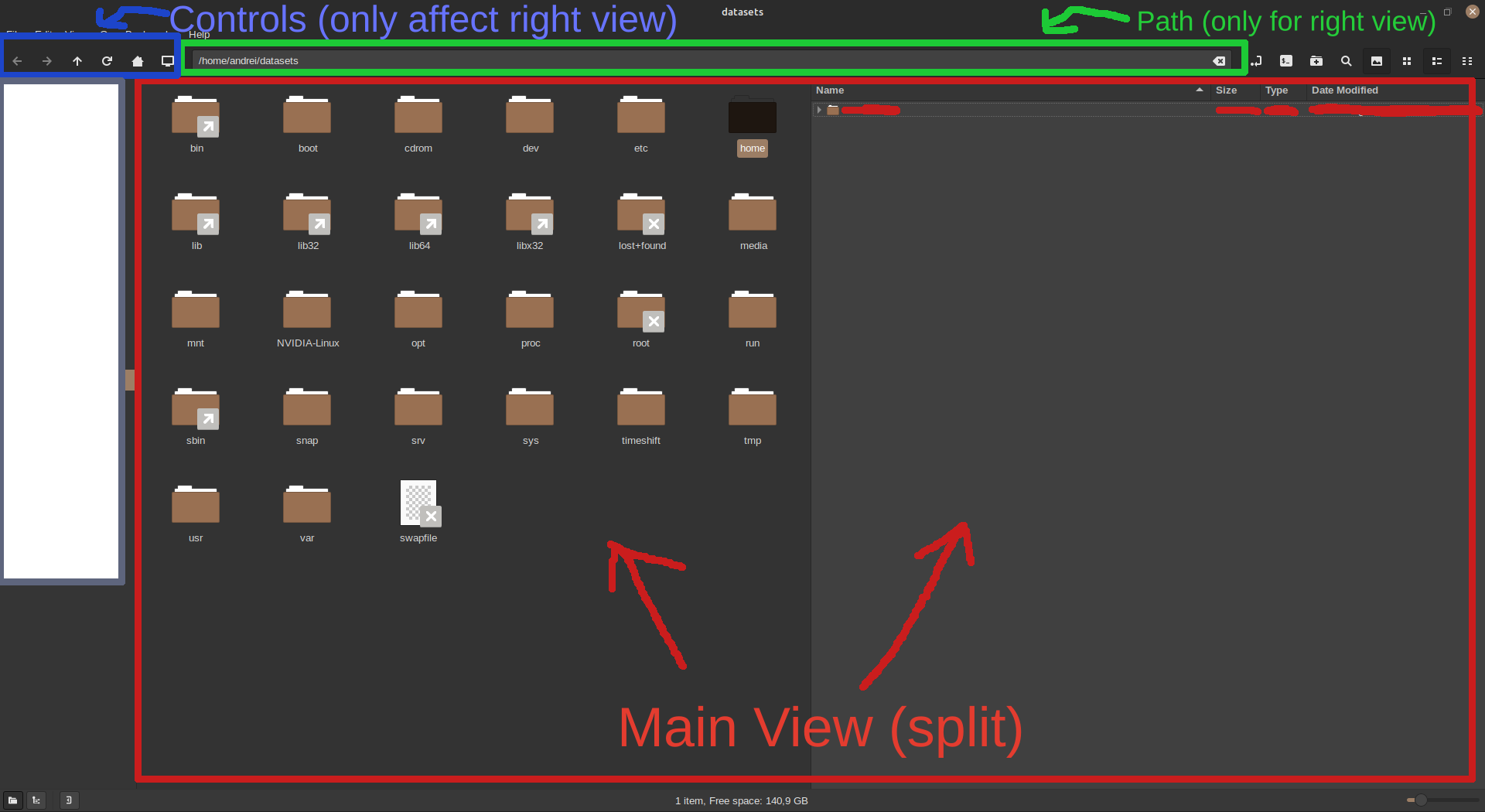
Currently, opening a split view with F3 only splits the main view (with the icons/thumbnails). It would be very useful if the path toolbar was also split somehow to display paths for each pane. Ideally, the controls (Back/Forward/Up/Refresh) would also be duplicated but that might be a bit crowded.
Been working a lot with the split view recently and I'm definitely missing this, it's easy to forget the path of the unfocused view, so then it requires 2 more clicks to check it and then focus back on the initial view.
Here's a visual illustration of the problem:
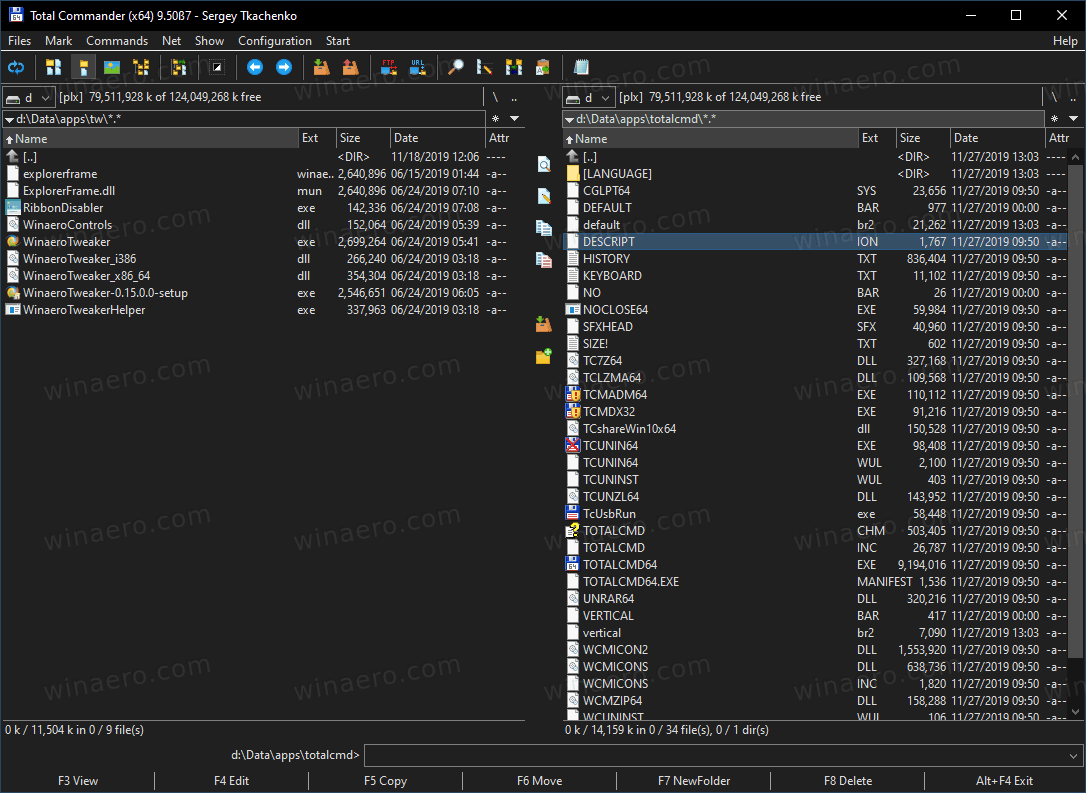
For an example, check out the way Total Commander from Windows does it. Both panes have their own path visible: