Learning Goals:
- Find out what GitHub and Git are
- Create an account on GitHub
Prerequisites:
- Internet access
GitHub is a website (platform) containing an ensemble of software services for the management of code and data, as well as tools to facilitate collaboration between people working on a project. This means that you can go to GitHub to access services (software running on cloud systems) that can help you keep control of projects, such as data analysis code you will write for this class – and it's free!
GitHub uses underlying software called git to allow users to perform code version control. When developing software it is extremely helpful to keep track of each change (smaller or bigger) made to an existing code base. The process of keeping track of changes made to code is generally referred to as version control. Version control is generally applied to a variety of classes of software systems such computer programs, documents, web sites, or other collections of information. Version control is a key component component of a Data Science project. Version control helps you keep up with what you are doing with your code and if you were to make a mistake (everyone makes mistakes, especially with software) version control can help you track back where the mistake was made and correct the mistake.
Mistakes in software development are referred to as 'bugs', this terminology is the heritage of the time when computers where not personal yet, but where shared and big and occupied entire rooms (read Software Bug on Wikipedia]. It is said the at these early times of computing insects could enter the computer rooms and interfere with the work of scientists by introducing in the execution of a computer program.
GitHub can helps you track down the mistake you make and either revert the code to a version before the mistake was introduced or change the code so to eliminate the mistake (see here for more details on version control).
This is a nice video from GitHub that provides a nice overview of GitHub:

Below is a video to get you started with creating a GitHub account using your .edu email. In the next tutorials, we will assume that you have already created an account, or do it together before moving to the next steps.
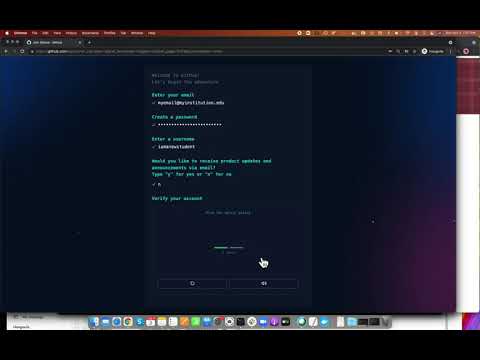
GitHub provides videos and written documentation to help 'on board' new users. The videos and documentation can hell beginners navigate a very complex tool and in most of the case they can answer many questions you might have as you learn GitHub.
Here is the GitHub Documentation page
Using GitHub is primarily free (you can find their pricing model here). Yet, some of helpful and more advanced features require a paid plan. Alternatively, users working for educational organizations (those that have an .edu email account), can request a free GitHub account with additional features or receive discounted rates.
Here are resources on how to get a GitHub Educational account if you are a:
Git proposed a revolutionizing approach to software-version control. Git uses a distributed version control system, which means that your code and its entire history is stored both in the cloud and on your own computer or computers. Before Git, the main version control system preceeding git was Subversion (a.k.a., SVN).
SVN is a centralized version control system. When using SVN a code repository is used by making a copy of the latest version of the repository. That copy was all a user had access to. With Git, everyone who uses a repository and makes a local copy of a repository has everything (i.e., code and code history). See here for further information.
Git and GitHub allow software developers working on a single project to make copies of the repository used for the project. Pull code from the repository to get the most up-to-date version of the code and push code into the repository to commit any recent changes. This allows to do what we call social coding where multiple developers can communicate their code online.
Because GitHub is a tool that allows social interaction among developers, issues related to behavior in social interaction in public and professional contexts are raised. There are published resources that can be used as guidelines for behavior in the context of work using GitHub. See them here: https://docs.github.com/en/github/site-policy/github-community-guidelines
Above, we guided you trhough the process of creating a GitHub account. You now should have an account on the GitHub.com cloud. After setting up your GitHub account you will need to configure your local machine so that it can communicate with the account you created on the cloud.
You will use GitHub to control git locally on your computer. For that, youy will need to be able to push and pull files and changes to files from your computer (where normally you will work) upstream to the cloud (GitHub.com/YourUser/YourRepo).
For that we will want to create a user token a dunique security key that can be used locally on your computer to access the GitHub.com cloud. This is a nice document from GitHub that explain how to add a token. You can follow that document and after that your user account will be set up and safe.
Note. By default access tokens have an expire date. You can change that date to be shorter or longer, say set it to expire after one day or one week, etc. Also, you can set the date to never expire. That is generally discouraged, this is because there is a chance that someone (a hacker?) might get their hands on your token and be able to access your GitHub account and mess up with files. Keep that in mind. That said I do set my keys to never expire for projects and users that are not critical. If you do decide to set the token to never expire it will help you having to change tokens once in a while. But, keeping tokens with expirations if not bad and it is not too difficult to update them. For example, on Mac OSX you would follow these instrcutions to update an access token