If you included pgAdmin in your PostgreSQL installation, in your applications you should see pgAdmin, a GUI interface for working with your database cluster.

But sometimes the app doesn't appear automatically, and sometimes when you try to launch it the first time nothing happens.
Troubleshooting
-
It may depend on the version of Windows you are running, but on my Windows server I had to go to C:/Program Files/PostgreSQL/13/pgAdmin4/bin to find the pgAdmin4 application because it didn't automatically appear in my app directory.
-
My Mac is running macOS Big Sur, and when I finished the install and tried to open pgAdmin on the Mac nothing happened. So I went to the pgAdmin page and clicked on Download under their quick links. From the Download page I clicked the macOS button. From the macOS download page I selected the latest version 4.30.
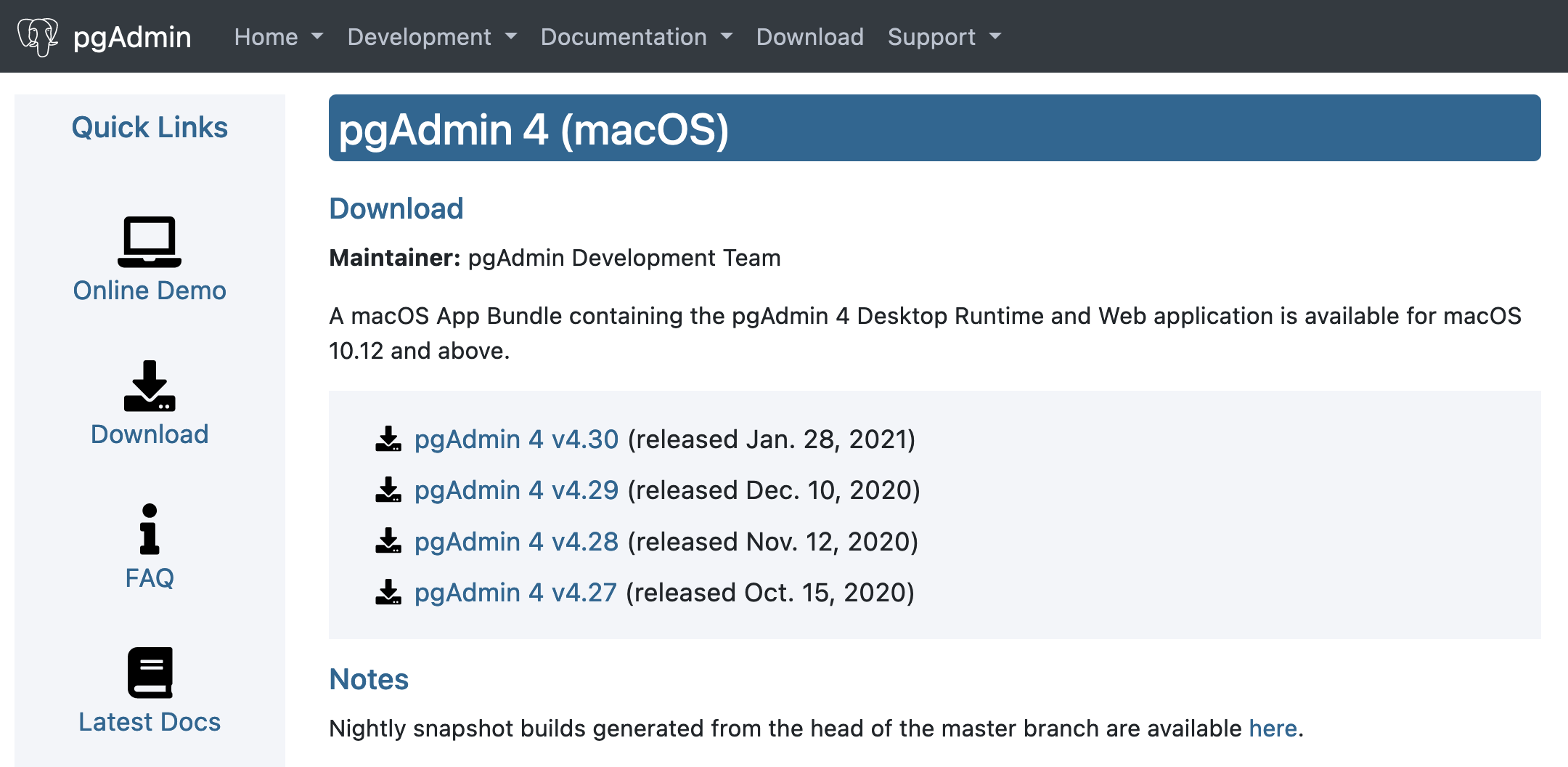
From the version 4.30 page I clicked on the .dmg and downloaded the installer.
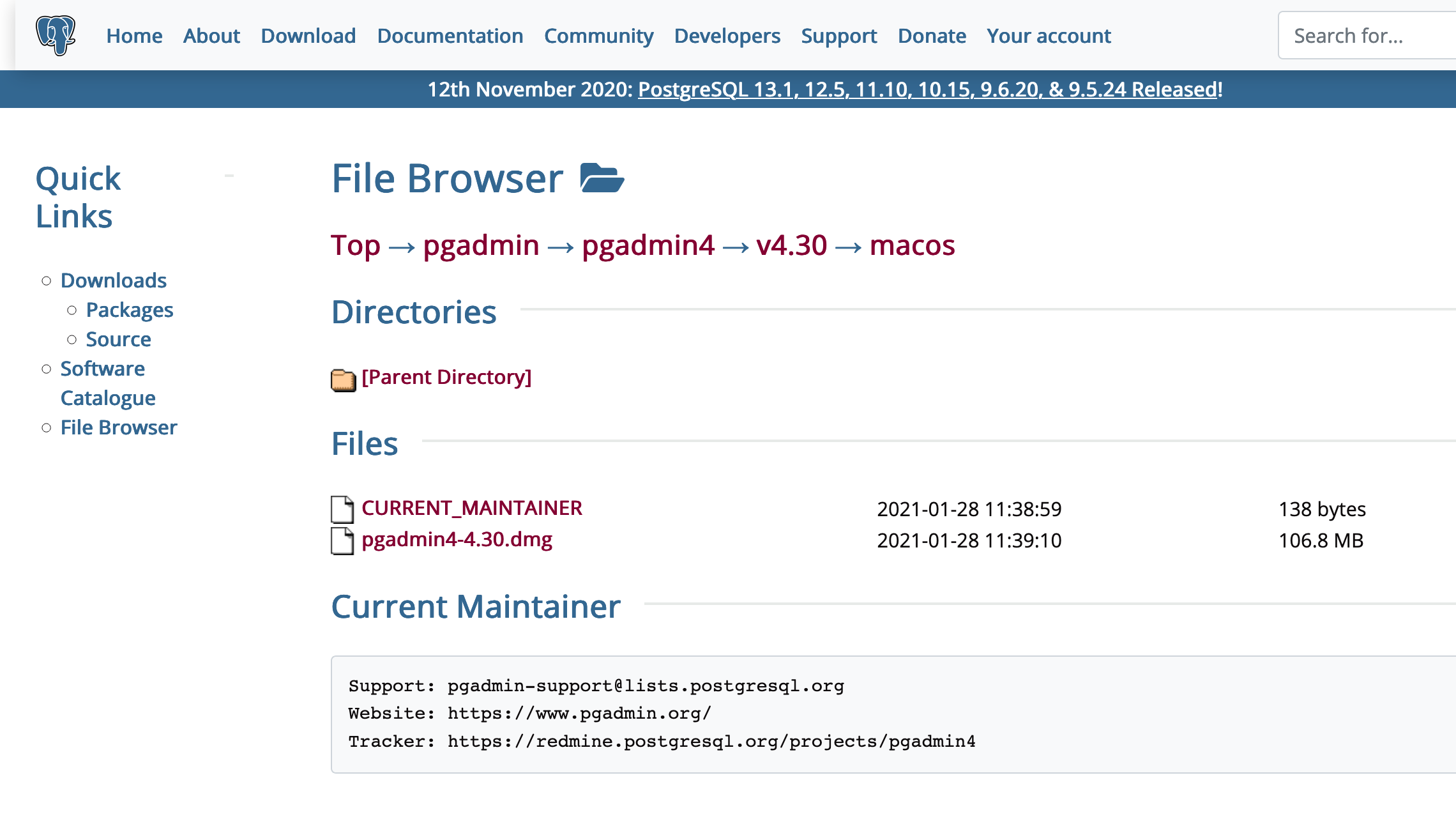
I ran the installer with default options and then pgAdmin worked fine.
It may depend on the version of Windows you are running, but on my Windows server I had to go to C:/Program Files/PostgreSQL/13/pgAdmin4/bin to find the pgAdmin4 application and C:/Program Files/PostgreSQL/13/bin to find psql because they didn't automatically appear in my apps.
My Mac is running macOS Big Sur, and when I finished the install and tried to open pgAdmin on the Mac nothing happened. So I went to the pgAdmin page and clicked on Download under their quick links. From the Download page I clicked the macOS button. From the macOS download page I selected the latest version 4.30.
From the version 4.30 page I clicked on the .dmg and downloaded the installer.
I ran the installer with default options and then pgAdmin worked fine.

If you included pgAdmin in your PostgreSQL installation, in your applications you should see pgAdmin, a GUI interface for working with your database cluster.
But sometimes the app doesn't appear automatically, and sometimes when you try to launch it the first time nothing happens.
Troubleshooting
It may depend on the version of Windows you are running, but on my Windows server I had to go to
C:/Program Files/PostgreSQL/13/pgAdmin4/binto find the pgAdmin4 application because it didn't automatically appear in my app directory.My Mac is running macOS Big Sur, and when I finished the install and tried to open pgAdmin on the Mac nothing happened. So I went to the pgAdmin page and clicked on
Downloadunder their quick links. From the Download page I clicked the macOS button. From the macOS download page I selected the latest version 4.30.From the version 4.30 page I clicked on the .dmg and downloaded the installer.
I ran the installer with default options and then pgAdmin worked fine.
It may depend on the version of Windows you are running, but on my Windows server I had to go to
C:/Program Files/PostgreSQL/13/pgAdmin4/binto find the pgAdmin4 application andC:/Program Files/PostgreSQL/13/binto find psql because they didn't automatically appear in my apps.My Mac is running macOS Big Sur, and when I finished the install and tried to open pgAdmin on the Mac nothing happened. So I went to the pgAdmin page and clicked on
Downloadunder their quick links. From the Download page I clicked the macOS button. From the macOS download page I selected the latest version 4.30.From the version 4.30 page I clicked on the .dmg and downloaded the installer.
I ran the installer with default options and then pgAdmin worked fine.