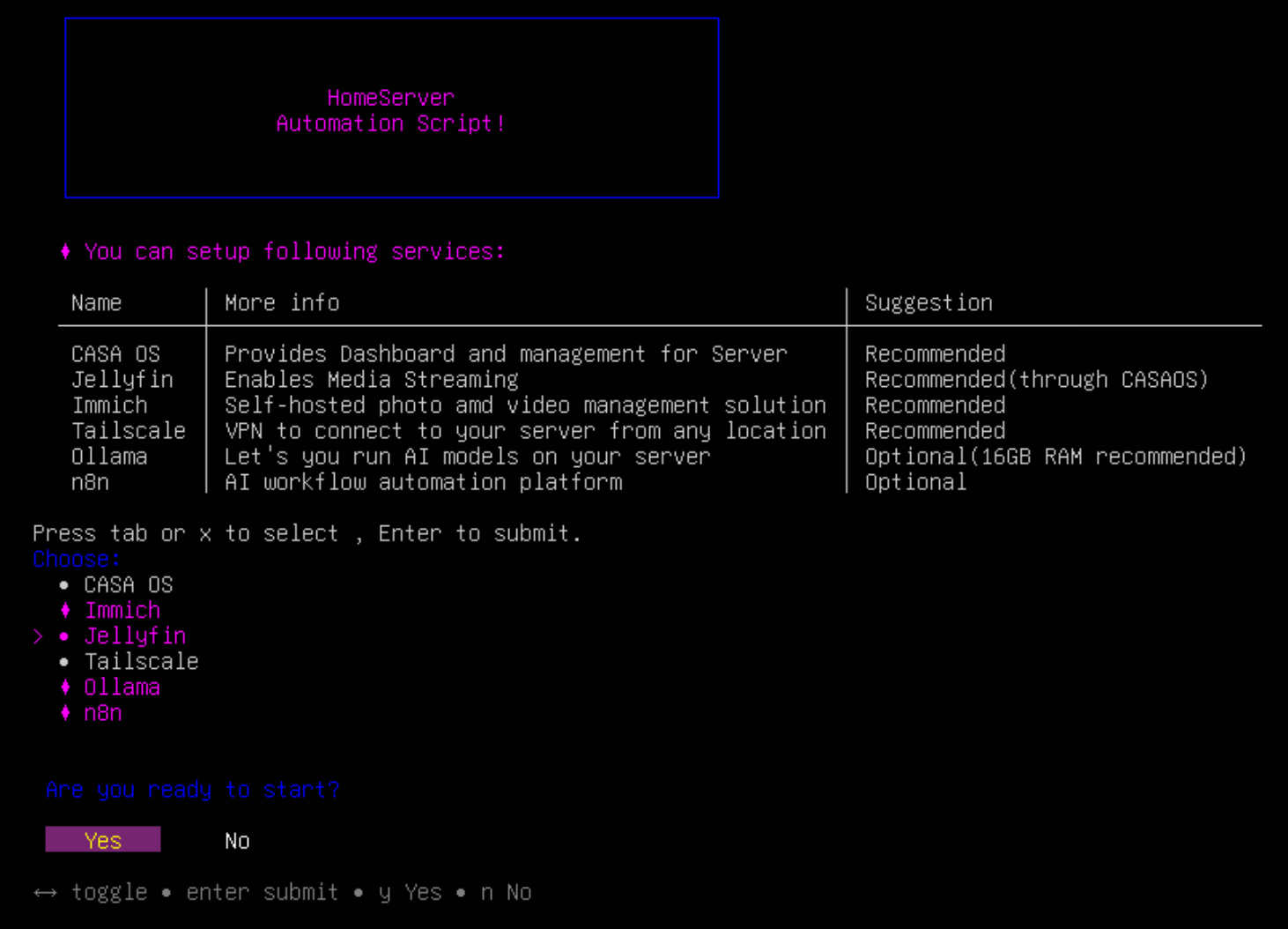
The HomeServer-Script is an automation tool that allows you to install and configure essential home server services on your Ubuntu system with just a few commands.
It simplifies the process of setting up a personal home server by automatically installing and configuring commonly used self-hosting services.








This repository is an automated version of my earlier project: HomeServer Guide 💡
The guide walks through the full manual setup process for building a home server and explains the reasoning behind each service and configuration.
If you want to understand the architecture and concepts before using this automation script, I recommend checking out the guide first.
This script is built with a modular design, letting you easily deploy the following services in a single run:
| Name | Port | Notes |
|---|---|---|
| CasaOS | IP Address | Main Management UI |
| Jellyfin | 8096 | Media Server |
| Immich | 2283 | Photo Backup |
| Ollama | 11434 | AI Models API |
| n8n | 5678 | Workflow Automation |
- A device running Ubuntu Server or Ubuntu Desktop.
- Bash version 4.2 or later.
- At least 50GB of available storage.
Important
This script is strictly designed for Ubuntu operating systems.
git clone https://github.com/Adamya-Gupta/HomeServer-Script.git
cd HomeServer-Script
sudo bash install.sh
Warning
This script is in its early stages and may perform differently on heavily modified systems. It is highly recommended to run this on a freshly installed Ubuntu environment.
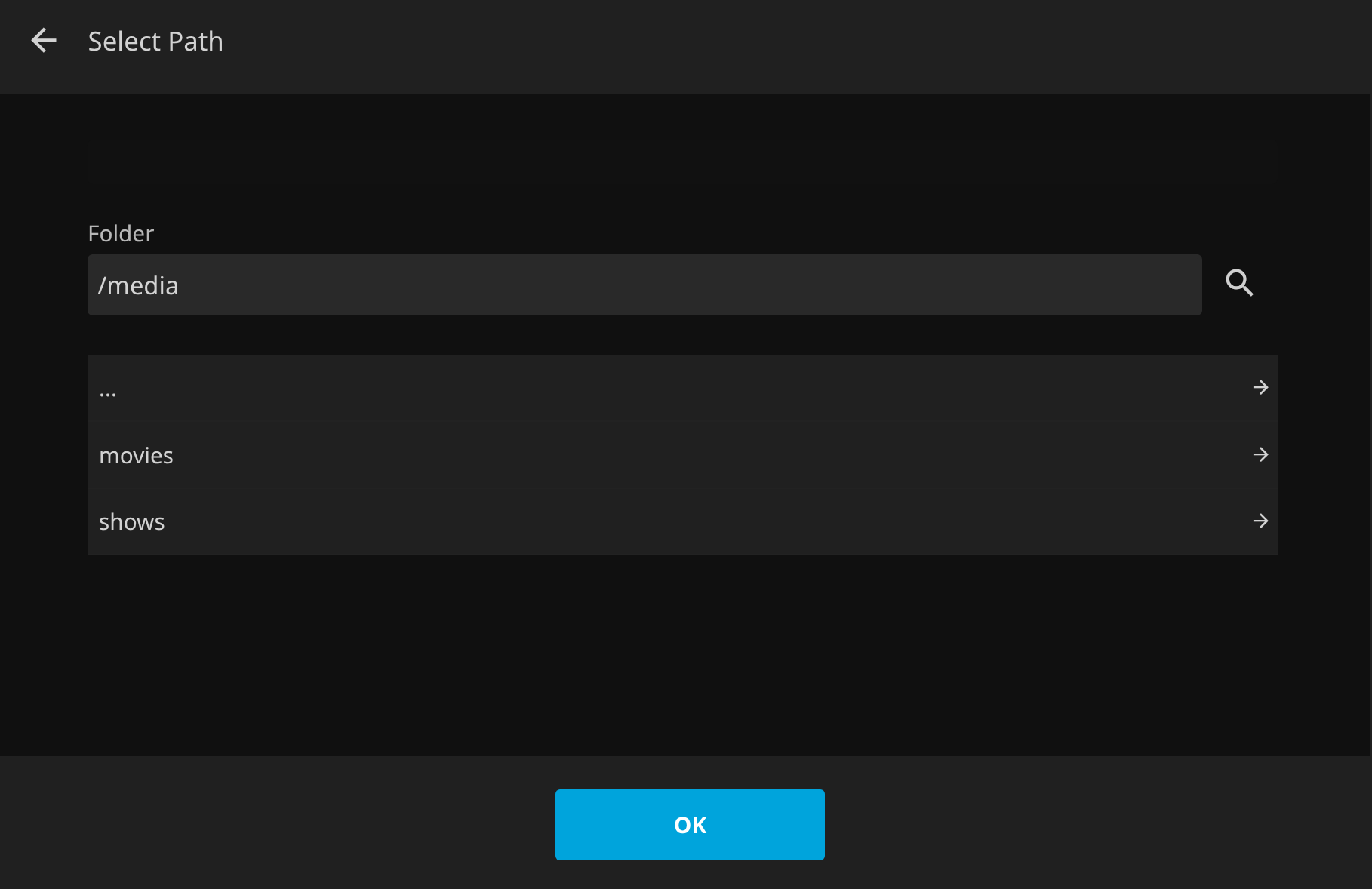
- After installing Jellyfin, the script automatically creates two directories:
/media/moviesand/media/shows. - It assigns the necessary permissions so these folders are immediately visible within Jellyfin for you to add your media.
Note
Alternatively, you can install Jellyfin directly through the CasaOS app store.
The script installs Tailscale on your server, but you must manually authenticate your device to connect it to your network. Run the following command in your terminal and follow the provided link in your browser:
sudo tailscale up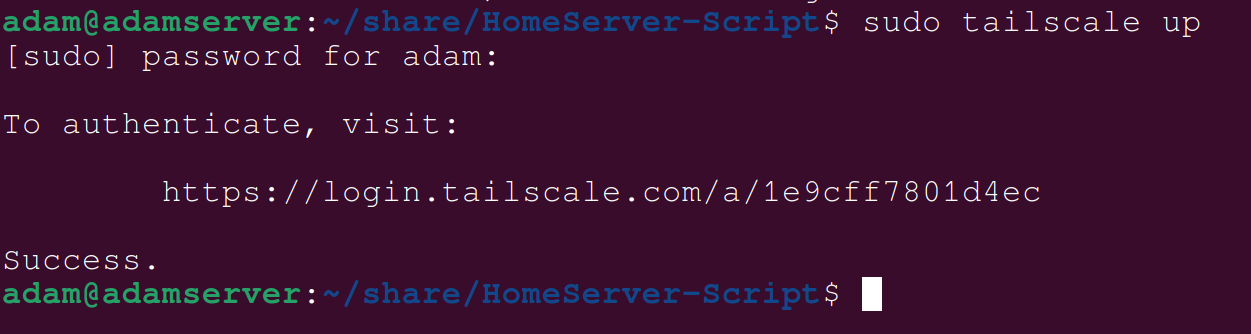
Tip
You can also find your tailscale IP by the following command :
tailscale ip -4Caution
Do not install Tailscale through CasaOS. Use this script to ensure proper system-level integration.
Once the script sets up the Ollama server, you can download and run AI models directly from your terminal. For example:
ollama run tinyllamaYou can browse available models in the Ollama Library
The script automatically generates the necessary configuration files to run n8n securely via Docker. Below are the default templates used:
# n8n Configuration
N8N_BASIC_AUTH_ACTIVE=true
N8N_BASIC_AUTH_USER=admin
N8N_BASIC_AUTH_PASSWORD=password
N8N_HOST=Your-Server-IP-Address
N8N_PORT=5678
N8N_PROTOCOL=http
N8N_SECURE_COOKIE=false  # Temporarily disable secure cookie to avoid HTTP access issues
NODE_ENV=productionservices:
n8n:
image: n8nio/n8n
restart: always
container_name: n8n-server # Custom container name
ports:
- "5678:5678"
env_file:
- .env
volumes:
- ./n8n-data:/home/node/.n8nFor those interested in how the script operates under the hood, here is the directory layout:
├── install.sh
├── lib
│   ├── summary.sh
│   └── utils.sh
├── modules
│   ├── casaos_install.sh
│   ├── docker_install.sh
│   ├── immich_install.sh
│   ├── jellyfin_install.sh
│   ├── n8n_install.sh
│   ├── ollama_install.sh
│   └── tailscale_install.sh
└── README.mdFuture improvements planned for this project:
- OpenWebUI Integration
- Calibre ebook management Integration
- Logging system for debugging and monitoring
- Automatic Backup and Updates
- Uninstaller script to remove all services
- Web‑based installation dashboard
This project is an extension of my earlier repository: HomeServer-Guide.
When I first started building my home server last year, the process was far from simple. Finding the right resources, understanding how different services worked, and figuring out how to configure them correctly took a significant amount of time and effort. Even after gathering the necessary information, implementing everything required a lot of manual work and experimentation.
While creating the guide helped document the process, I realized that if I ever needed to set up another system in the future, I would probably have to go through the entire guide myself just to remember all the steps and configurations. Naturally, I started searching for existing automation scripts that could simplify the setup process. However, none of the available repositories matched the workflow or setup I had in mind.
At the time, I initially assumed that only a small number of people would be interested in setting up a home server on a low-end PC. But over time, I noticed that someone was starring the guide almost every day. That was the moment I realized that there was a genuine interest in this topic and that more people were trying to build similar setups.
This motivated me to take the idea further.
Instead of repeating the same manual setup every time, I decided to build a script that could automate the entire process. Around the same time, I had developed a strong interest in shell scripting. Before starting this project, I took the time to properly learn Bash scripting so that I could fully understand what I was building rather than simply assembling random commands.
The result is HomeServer-Script — a modular automation tool designed to install and configure a complete home server stack with minimal effort. The goal of this project is to save time, reduce repetitive manual work, and make it easier for anyone to set up their own self-hosted server environment.
I enjoyed building this project and hope you find it useful.
If you think something is missing, run into a bug, or have suggestions for improvement, please open an issue or submit a pull request. Your feedback helps make this resource better for the community.💡
If you found this project useful, please consider leaving a ⭐ on GitHub. It helps others discover the project and motivates further development.
Happy hosting!😊