You signed in with another tab or window. Reload to refresh your session.You signed out in another tab or window. Reload to refresh your session.You switched accounts on another tab or window. Reload to refresh your session.Dismiss alert
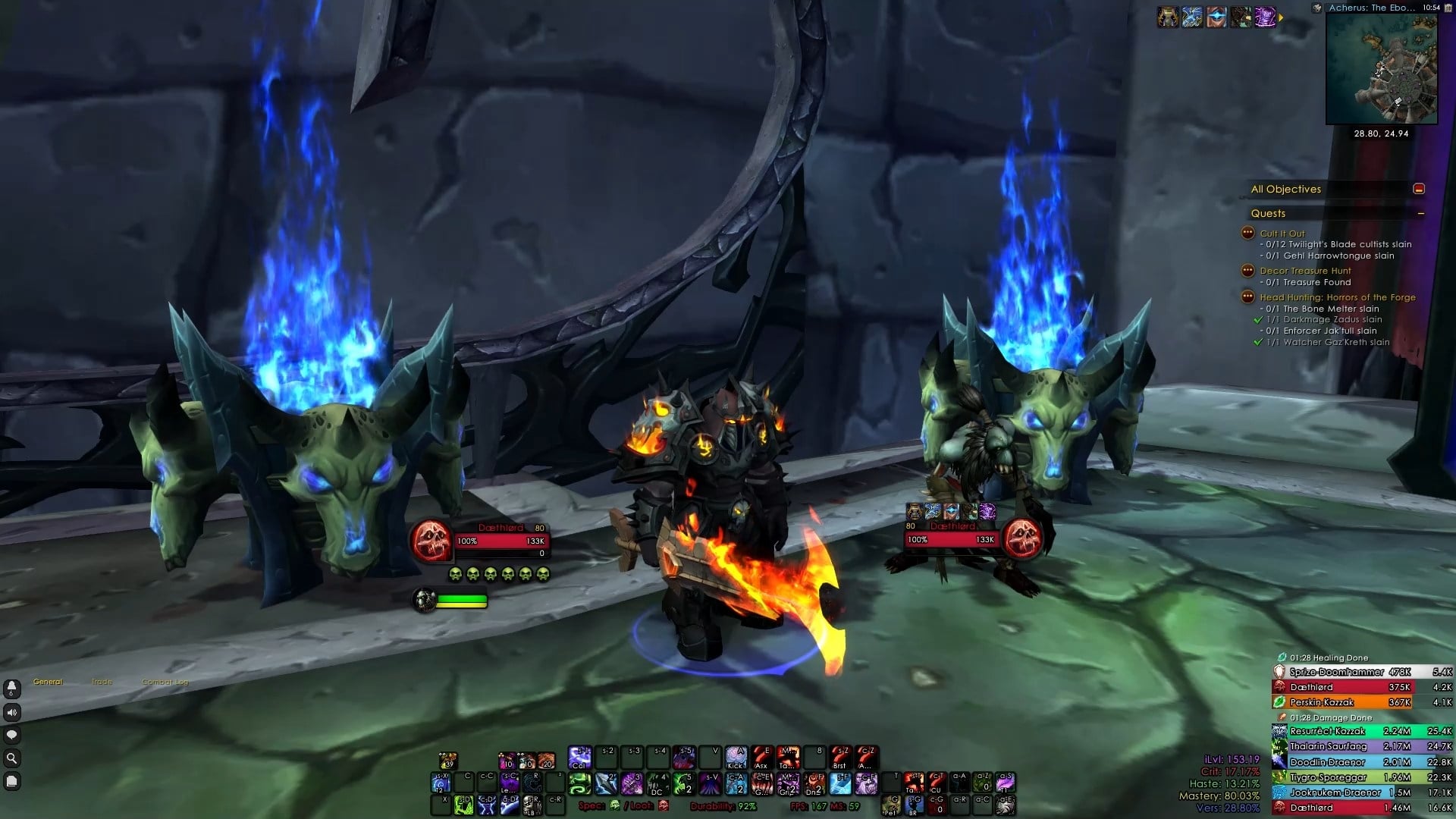
Set up supported AddOns automatically, matching the UI style
« Installation »
Upon login GennUI GUI should pop up, otherwise type in /gnui
Import the given Edit Mode String.
Click the Install/Update button.
Reload.
« Note »
The UI is optimized for 1920×1080 resolution and 0.64 UI Scale AND the given Edit Mode string, if you have different settings you may want to move some things around.
Please consider backup any AddOns settings that you may want to keep.
For bug reports or requests please use the issues tracker above.
« Supported AddOns »
BattleGroundEenemies Fixed
BetterBlizzFrames
BetterBlizzPlates
BigWigs
Capping
Chattynator
Cooldown Manager Centered
Danders Frames
Deadly Boss Mods
Details
ElvUI (Inc WindTools)
FrameColor
FrameSort
Leatrix Plus
MiniCC
Mouseover Action Settings
MPlusTimer
Plater
Platynator
sArena Reloaded
Simple Datatexts
TinyTooltip Remake
WarpDeplete
« Special Thanks »
Skullflower and Naowh for inspiration.
Blazeflack, Benik and Simpy for the great help and assistance.
Blinkii & Skullflower for the awesome textures.
Tweaks credits: Kesava, brykrys.
About
GennUI is a One-Click AddOns Profile Installer for a clean minimalistic UI suited for any spec, role or activity