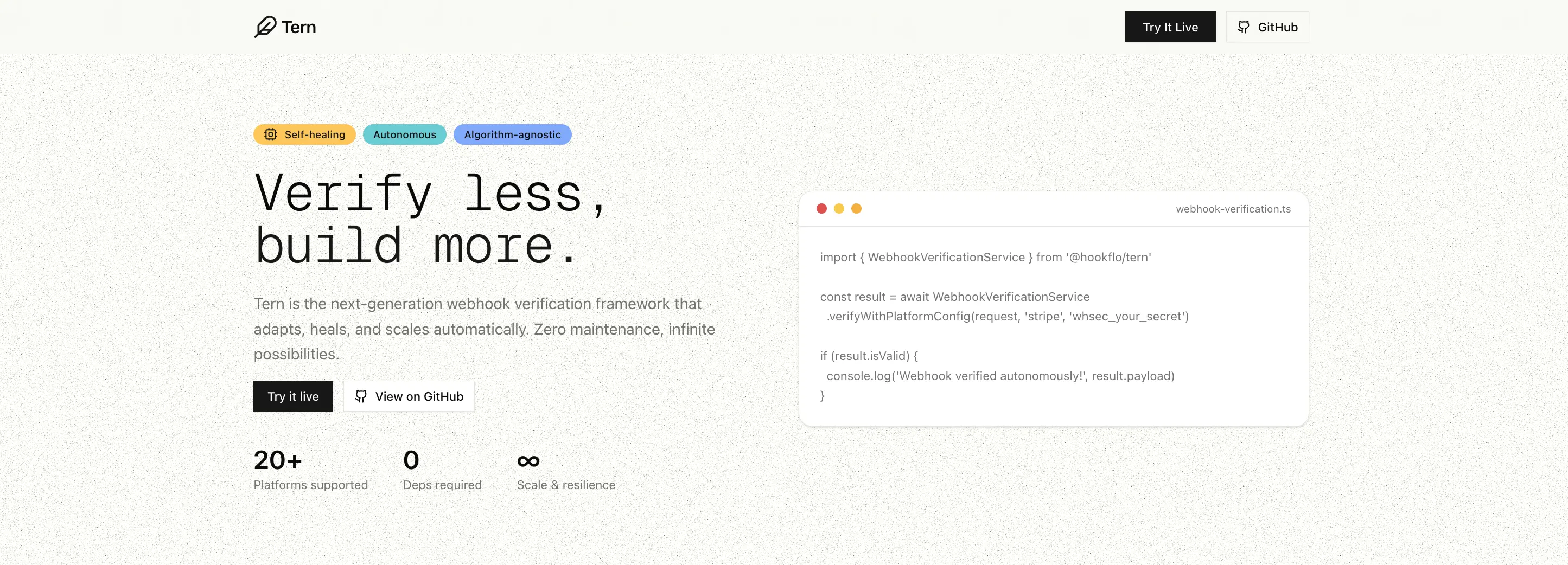
When Stripe, Shopify, Clerk or any other platform sends a webhook to your server, how do you know it's real and not a forged request? Tern checks the signature for you — one simplified TypeScript SDK, any provider, no boilerplate.




Stop writing webhook verification from scratch. Tern handles signature verification for Stripe, GitHub, Clerk, Shopify, and 15+ more platforms — with one consistent API.
Need reliable delivery too? Tern supports inbound webhook delivery via Upstash QStash — automatic retries, DLQ management, replay controls, and Slack/Discord alerting. Bring your own Upstash account (BYOK).
npm install @hookflo/ternThe same framework powering webhook verification at Hookflo.
⭐ Star this repo to help others discover it · 💬 Join our Discord
Navigation
The Problem · Quick Start · Framework Integrations · Supported Platforms · Key Features · Reliable Delivery & Alerting · Custom Config · API Reference · Troubleshooting · Contributing · Support
Every webhook provider has a different signature format. You end up writing — and maintaining — the same verification boilerplate over and over:
// ❌ Without Tern — different logic for every provider
const stripeSignature = req.headers['stripe-signature'];
const parts = stripeSignature.split(',');
// ... 30 more lines just for Stripe

const githubSignature = req.headers['x-hub-signature-256'];
// ... completely different 20 lines for GitHub
// ✅ With Tern — one API for everything
const result = await WebhookVerificationService.verify(request, {
platform: 'stripe',
secret: process.env.STRIPE_WEBHOOK_SECRET!,
});import { WebhookVerificationService } from '@hookflo/tern';
const result = await WebhookVerificationService.verify(request, {
platform: 'stripe',
secret: process.env.STRIPE_WEBHOOK_SECRET!,
toleranceInSeconds: 300,
});
if (result.isValid) {
console.log('Verified!', result.eventId, result.payload);
} else {
console.log('Failed:', result.error, result.errorCode);
}const result = await WebhookVerificationService.verifyAny(request, {
stripe: process.env.STRIPE_WEBHOOK_SECRET,
github: process.env.GITHUB_WEBHOOK_SECRET,
clerk: process.env.CLERK_WEBHOOK_SECRET,
});
console.log(`Verified ${result.platform} webhook`);Use Tern without framework adapters in any runtime that supports the Web Request API.
import { WebhookVerificationService } from '@hookflo/tern';

const verified = await WebhookVerificationService.verifyWithPlatformConfig(
  request,
  'workos',
  process.env.WORKOS_WEBHOOK_SECRET!,
  300,
);

if (!verified.isValid) {
  return new Response(JSON.stringify({ error: verified.error }), { status: 400 });
}

// verified.payload + verified.metadata available hereimport express from 'express';
import { createWebhookMiddleware } from '@hookflo/tern/express';
const app = express();
app.post(
'/webhooks/stripe',
express.raw({ type: '*/*' }),
createWebhookMiddleware({
platform: 'stripe',
secret: process.env.STRIPE_WEBHOOK_SECRET!,
}),
(req, res) => {
const event = (req as any).webhook?.payload;
res.json({ received: true, event });
},
);import { createWebhookHandler } from '@hookflo/tern/nextjs';
export const POST = createWebhookHandler({
platform: 'github',
secret: process.env.GITHUB_WEBHOOK_SECRET!,
handler: async (payload, metadata) => ({ received: true, delivery: metadata.delivery }),
});import { createWebhookHandler } from '@hookflo/tern/cloudflare';
export const onRequestPost = createWebhookHandler({
platform: 'stripe',
secretEnv: 'STRIPE_WEBHOOK_SECRET',
handler: async (payload) => ({ received: true, payload }),
});import { Hono } from 'hono';
import { createWebhookHandler } from '@hookflo/tern/hono';
const app = new Hono();
app.post('/webhooks/stripe', createWebhookHandler({
platform: 'stripe',
secret: process.env.STRIPE_WEBHOOK_SECRET!,
handler: async (payload, metadata, c) => c.json({
received: true,
eventId: metadata.id,
payload,
}),
}));All built-in platforms work across Express, Next.js, Cloudflare, and Hono adapters. You only change
platformandsecretper route.
| Platform | Algorithm | Status |
|---|---|---|
| Stripe | HMAC-SHA256 | ✅ Tested |
| GitHub | HMAC-SHA256 | ✅ Tested |
| Clerk | HMAC-SHA256 (base64) | ✅ Tested |
| Shopify | HMAC-SHA256 (base64) | ✅ Tested |
| Dodo Payments | HMAC-SHA256 | ✅ Tested |
| Paddle | HMAC-SHA256 | ✅ Tested |
| Lemon Squeezy | HMAC-SHA256 | ✅ Tested |
| Polar | HMAC-SHA256 | ✅ Tested |
| WorkOS | HMAC-SHA256 | ✅ Tested |
| ReplicateAI | HMAC-SHA256 | ✅ Tested |
| GitLab | Token-based | ✅ Tested |
| fal.ai | ED25519 | ✅ Tested |
| Sentry | HMAC-SHA256 | ✅ Tested |
| Grafana | HMAC-SHA256 | ✅ Tested |
| Doppler | HMAC-SHA256 | ✅ Tested |
| Sanity | HMAC-SHA256 | ✅ Tested |
| Razorpay | HMAC-SHA256 | 🔄 Pending |
| Vercel | HMAC-SHA256 | 🔄 Pending |
Don't see your platform? Use custom config or open an issue.
- Standard Webhooks style platforms (Clerk, Dodo Payments, Polar, ReplicateAI) commonly use a secret that starts with
whsec_.... - ReplicateAI: copy the webhook signing secret from your Replicate webhook settings and pass it directly as
secret. - fal.ai: supports JWKS key resolution out of the box — use
secret: ''for auto key resolution, or pass a PEM public key explicitly.
fal.ai uses ED25519 signing. Pass an empty string as the webhook secret — the public key is resolved automatically via JWKS from fal's infrastructure.
import { createWebhookHandler } from '@hookflo/tern/nextjs';

export const POST = createWebhookHandler({
  platform: 'falai',
  secret: '', // fal.ai resolves the public key automatically
  handler: async (payload, metadata) => ({ received: true, requestId: metadata.requestId }),
});- Queue + Retry Support — optional Upstash QStash-based reliable inbound webhook delivery with automatic retries and deduplication
- DLQ + Replay Controls — list failed events, replay DLQ messages, and trigger replay-aware alerts
- Alerting — built-in Slack + Discord alerts through adapters and controls
- Auto Platform Detection — detect and verify across multiple providers via
verifyAnywith diagnostics on failure - Algorithm Agnostic — HMAC-SHA256, HMAC-SHA1, HMAC-SHA512, ED25519, and custom algorithms
- Zero Dependencies — no bloat, no supply chain risk
- Framework Agnostic — works with Express, Next.js, Cloudflare Workers, Hono, Deno, Bun, and any runtime with Web Crypto
- Body-Parser Safe — reads raw bodies correctly to prevent signature mismatch
- Strong TypeScript — strict types, full inference, comprehensive type definitions
- Stable Error Codes —
INVALID_SIGNATURE,MISSING_SIGNATURE,TIMESTAMP_EXPIRED, and more
Tern supports both immediate and queue-based webhook processing. Queue mode is optional and opt-in — bring your own Upstash account (BYOK).
import { createWebhookHandler } from '@hookflo/tern/nextjs';

export const POST = createWebhookHandler({
  platform: 'stripe',
  secret: process.env.STRIPE_WEBHOOK_SECRET!,
  handler: async (payload) => {
    return { ok: true };
  },
});import { createWebhookHandler } from '@hookflo/tern/nextjs';
export const POST = createWebhookHandler({
platform: 'stripe',
secret: process.env.STRIPE_WEBHOOK_SECRET!,
queue: true,
handler: async (payload, metadata) => {
return { processed: true, eventId: metadata.id };
},
});- Create a QStash project at console.upstash.com/qstash
- Copy your keys:
QSTASH_TOKEN,QSTASH_CURRENT_SIGNING_KEY,QSTASH_NEXT_SIGNING_KEY - Add them to your environment and set
queue: true - Enable queue with
queue: true(or explicit queue config).
Direct queue config option:
queue: {
  token: process.env.QSTASH_TOKEN!,
  signingKey: process.env.QSTASH_CURRENT_SIGNING_KEY!,
  nextSigningKey: process.env.QSTASH_NEXT_SIGNING_KEY!,
  retries: 5,
}import { createWebhookHandler } from '@hookflo/tern/nextjs';
export const POST = createWebhookHandler({
platform: 'stripe',
secret: process.env.STRIPE_WEBHOOK_SECRET!,
alerts: {
slack: { webhookUrl: process.env.SLACK_WEBHOOK_URL! },
discord: { webhookUrl: process.env.DISCORD_WEBHOOK_URL! },
},
handler: async () => ({ ok: true }),
});import { createTernControls } from '@hookflo/tern/upstash';
const controls = createTernControls({
token: process.env.QSTASH_TOKEN!,
notifications: {
slackWebhookUrl: process.env.SLACK_WEBHOOK_URL,
discordWebhookUrl: process.env.DISCORD_WEBHOOK_URL,
},
});
const dlqMessages = await controls.dlq();
if (dlqMessages.length > 0) {
await controls.alert({
dlq: true,
dlqId: dlqMessages[0].dlqId,
severity: 'warning',
message: 'Replay attempted for failed event',
});
}Not built-in? Configure any webhook provider without waiting for a library update.
const result = await WebhookVerificationService.verify(request, {
  platform: 'acmepay',
  secret: 'acme_secret',
  signatureConfig: {
    algorithm: 'hmac-sha256',
    headerName: 'x-acme-signature',
    headerFormat: 'raw',
    timestampHeader: 'x-acme-timestamp',
    timestampFormat: 'unix',
    payloadFormat: 'timestamped',
  },
});const svixConfig = {
platform: 'my-svix-platform',
secret: 'whsec_abc123...',
signatureConfig: {
algorithm: 'hmac-sha256',
headerName: 'webhook-signature',
headerFormat: 'raw',
timestampHeader: 'webhook-timestamp',
timestampFormat: 'unix',
payloadFormat: 'custom',
customConfig: {
payloadFormat: '{id}.{timestamp}.{body}',
idHeader: 'webhook-id',
},
},
};See the SignatureConfig type for all options.
| Method | Description |
|---|---|
verify(request, config) |
Verify with full config object |
verifyWithPlatformConfig(request, platform, secret, tolerance?) |
Shorthand for built-in platforms |
verifyAny(request, secrets, tolerance?) |
Auto-detect platform and verify |
verifyTokenAuth(request, webhookId, webhookToken) |
Token-based verification |
verifyTokenBased(request, webhookId, webhookToken) |
Alias for verifyTokenAuth |
handleWithQueue(request, options) |
Core SDK helper for queue receive/process |
| Export | Description |
|---|---|
createTernControls(config) |
Read DLQ/events, replay, and send alerts |
handleQueuedRequest(request, options) |
Route request between receive/process modes |
handleReceive(request, platform, secret, queueConfig, tolerance) |
Verify webhook and enqueue to QStash |
handleProcess(request, handler, queueConfig) |
Verify QStash signature and process payload |
resolveQueueConfig(queue) |
Resolve queue: true from env or explicit object |
interface WebhookVerificationResult {
  isValid: boolean;
  error?: string;
  errorCode?: string;
  platform: WebhookPlatform;
  payload?: any;
  eventId?: string;
  metadata?: {
    timestamp?: string;
    id?: string | null;
    [key: string]: any;
  };
}Module not found: Can't resolve "@hookflo/tern/nextjs"
npm i @hookflo/tern@latest
rm -rf node_modules package-lock.json .next
npm i
Signature verification failing?
Make sure you're passing the raw request body — not a parsed JSON object. Tern's framework adapters handle this automatically. If you're using the core service directly, ensure body parsers aren't consuming the stream before Tern does.
Contributions are welcome! See CONTRIBUTING.md for how to add platforms, write tests, and submit PRs.
git clone https://github.com/Hookflo/tern.git
cd tern
npm install
npm testHave a question, running into an issue, or want to request a platform? We're happy to help.
Join the conversation on Discord or open an issue on GitHub — all questions, bug reports, and platform requests are welcome.
Detailed Usage & Docs · npm Package · Discord Community · Issues
MIT © Hookflo