Releases: KALMUS-Color-Toolkit/KALMUS
REL: v1.3.14 release of KALMUS

This is the official release of KALMUS 1.3.14 version.
Add features
Now, you can rotate the 3D Bar plot in the *Colors in Hue Light 3D Bar Plot window with arrow keys. rotate counter-clockwise, rotate clockwise, from down to up, and from up to down.
Changes
Default key bindings of matplotlib plot are removed.
The light axis of the 3D Bar plot is inverted. In the default view, the bright colors are now in the foreground.
REL: v1.3.13 release of KALMUS
This is the official release of KALMUS 1.3.13 version.
Add features
Color swatch. A small color display is now added to the main window under the barcode plots. When the user's mouse hovers over a pixel of the barcode, the color display will show the color of that pixel along with red, blue, green, frame, and time at that pixel.
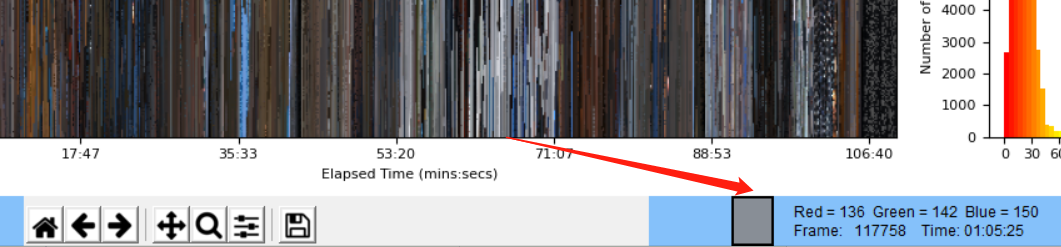
For the brightness barcode, the color display will show the brightness instead.

More configuration available for the Hue vs. Light 3D bar plot:
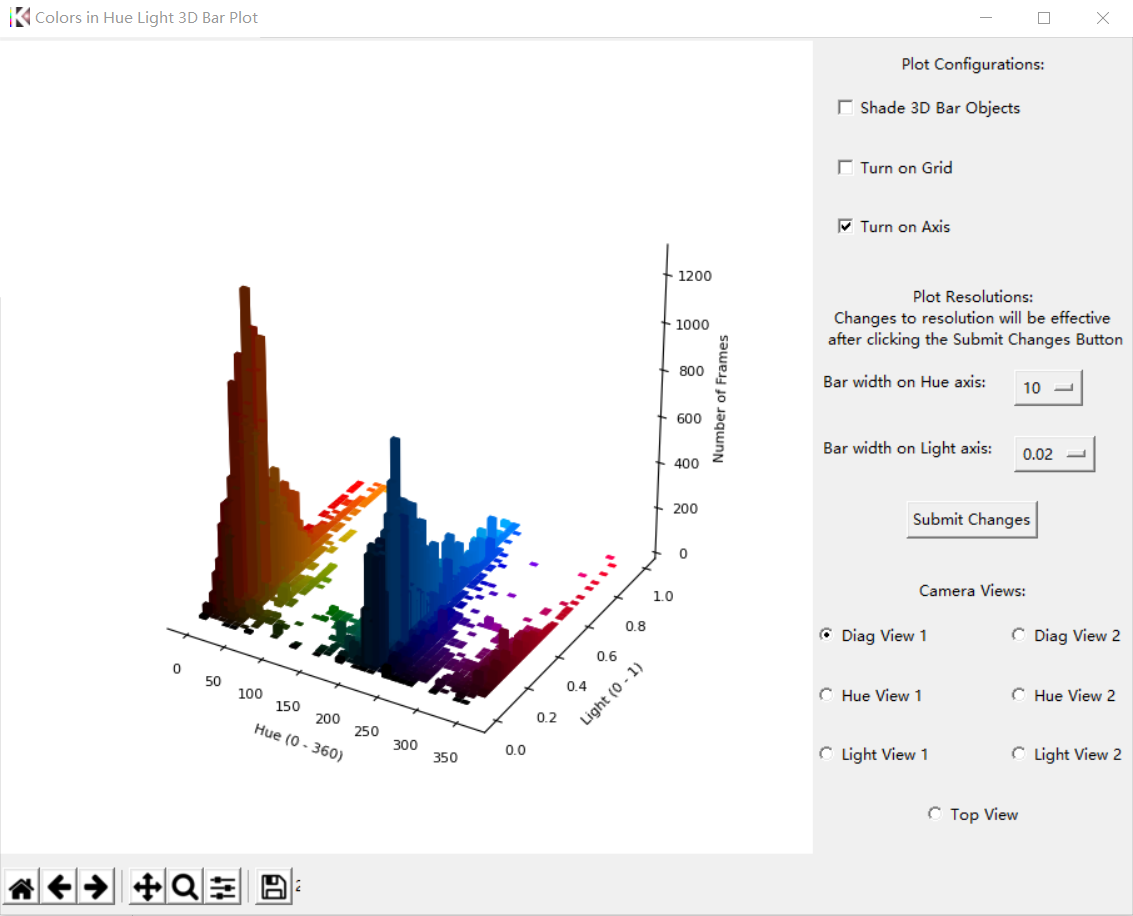
Users may now turn on/off the shade on 3D objects, grids, and axis. The resolution of the plot (in the other words, the dimension of a 3D bar) can also be configured in the plot resolutions section. Smaller bar width on Hue/Light axis will increase the number of 3D bars in the plot (higher resolution), providing more details. Larger width will decrease the number of 3D bars and improve the performance (e.g. the refreshing speed when spinning or zooming the plot). Users can also switch to 7 pre-defined camera positions using the Camera Views.
Users can configure the plot resolution (dpi) when launching the KALMUS GUI using the -d/--dpi flag: $ kalmus-gui --dpi 160 or $ kalmus-gui -d 160`. The default dpi of the GUI is 120.

Changes
When users click the browse button in the Generate barcode/Load JSON barcode window, KALMUS GUI will open the last closed folder rather than the current working directory.
Fixes
Fix the crash caused by generating and saving a barcode to an invalid JSON output file path. If you are using the save output barcode to JSON function added in v1.3.11, we recommend you update KALMUS to this new release. The KALMUS GUI may crash if you give an invalid file path to the output JSON file.
REL: v1.3.13b beta prerelease of KALMUS
This is the beta prerelease of KALMUS 1.3.13 version.
Add features
Color swatch. A small color display is now added to the main window under the barcode plots. When the user's mouse hovers over a pixel of the barcode, the color display will show the color of that pixel along with red, blue, green, frame, and time at that pixel.
For the brightness barcode, the color display will show the brightness instead.
More configuration available for the Hue vs. Light 3D bar plot:
Users may now turn on/off the shade on 3D objects, grids, and axis. The resolution of the plot (in the other words, the dimension of a 3D bar) can also be configured in the plot resolutions section. Smaller bar width on Hue/Light axis will increase the number of 3D bars in the plot (higher resolution), providing more details. Larger width will decrease the number of 3D bars and improve the performance (e.g. the refreshing speed when spinning or zooming the plot). Users can also switch to 7 pre-defined camera positions using the Camera Views.
Users can configure the plot resolution (dpi) when launching the KALMUS GUI using the -d/--dpi flag: $ kalmus-gui --dpi 160 or $ kalmus-gui -d 160`. The default dpi of the GUI is 120.
Changes
When users click the browse button in the Generate barcode/Load JSON barcode window, KALMUS GUI will open the last closed folder rather than the current working directory.
Fixes
Fix the crash caused by generating and saving a barcode to an invalid JSON output file path. If you are using the save output barcode to JSON function added in v1.3.11, we recommend you update KALMUS to this new release. The KALMUS GUI may crash if you give an invalid file path to the output JSON file.
REL: v1.3.12 release of KALMUS
This is the official release of KALMUS 1.3.12 version.
Add features
3D Bar plot of Hue vs. Light is now available in the Inspect Barcode window.
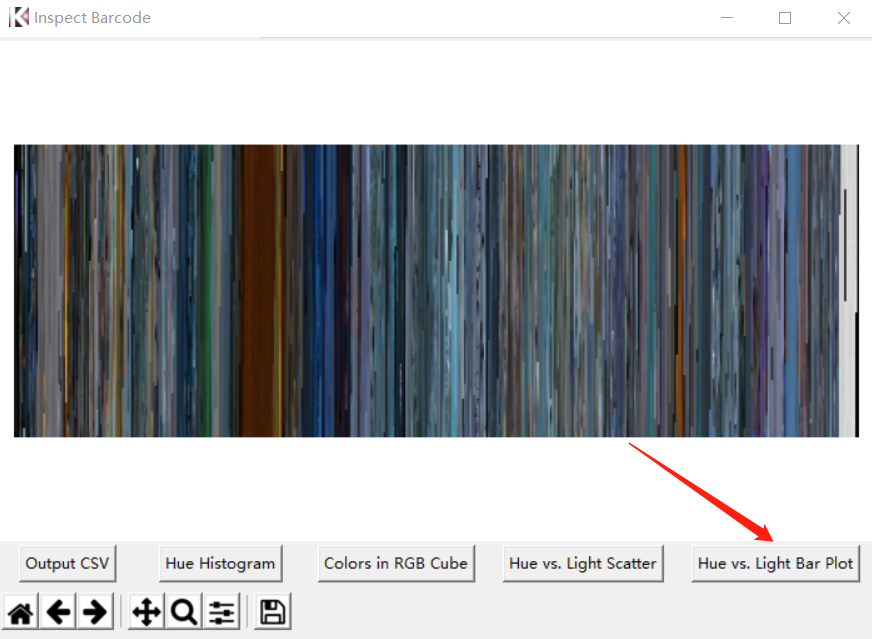
Click the Hue vs. Light Bar Plot button to instantiate the plot.
3D Bar plot without shade:
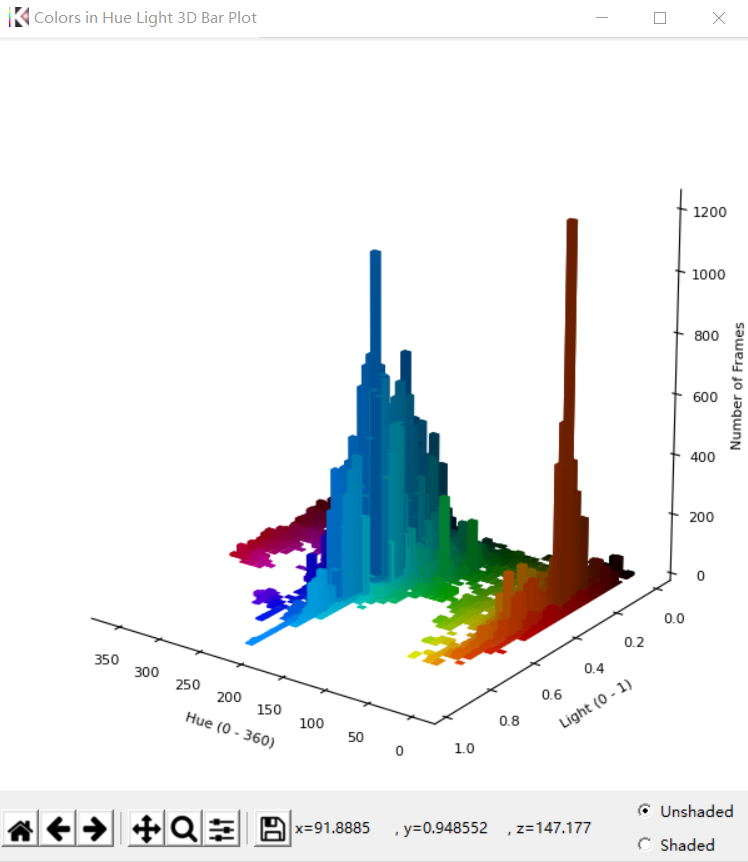
You can press the left mouse key to rotate the 3D plot or press the right mouse key to zoom in and out.
Users can select whether they want the 3D bar object to be shaded or not using the radio buttons below the plot.
Shaded 3D Bar plot:
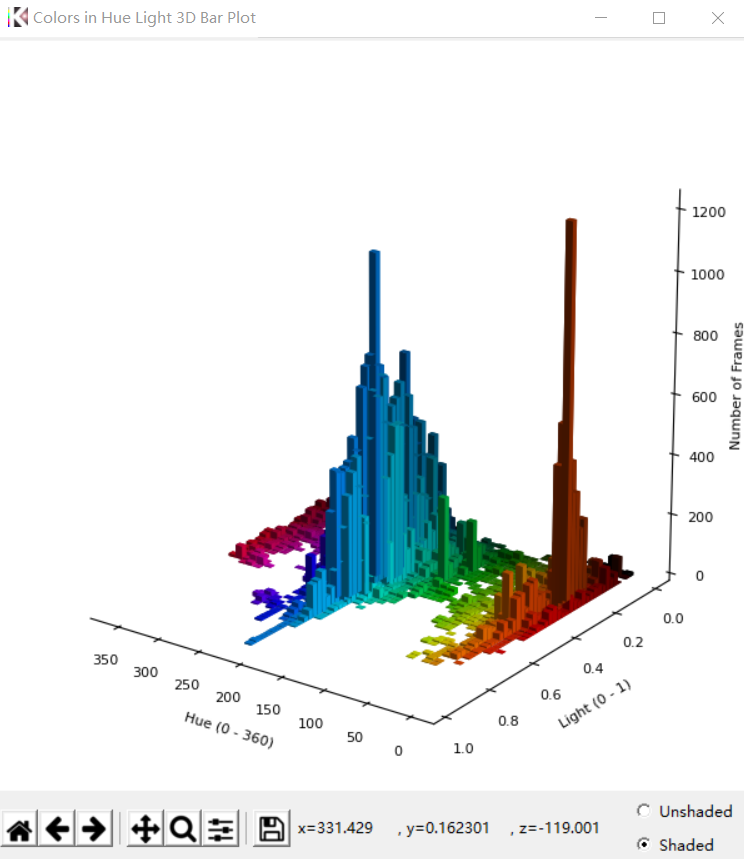
This functionality is also accessible through Programming API with call to show_colors_in_hue_light_3d_bar_plot in kalmus.utils.visualization_utils.
Changes
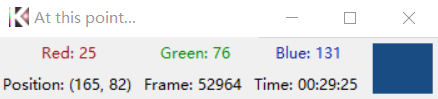
The Calibrate button has been removed from the Check Time Point window. This button was used to fix the time-pixel relation in the barcode after rescaling/resizing the barcode. However, since version 1.3.1, KALMUS GUI automatically recalibrates the barcode when its size changes. The Calibrate button is no longer needed if you are using JSON barcodes generated from version 1.3.1 and onward.
Display button has been removed from the Check Time Point Window. KALMUS will always display the saved frames if they are available.
For barcodes without saved frames:
For barcodes with saved frames:
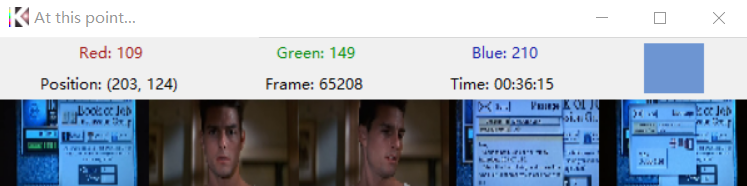
The Check Time Point window is always on top once generated.
Fixes
In the previous version, KALMUS will always show the longer barcode at the bottom of the window, which can be confusing. Now, a new barcode loaded from the memory/JSON object will be plotted in the exact slot selected by users.
REL: v1.3.12a alpha prerelease of KALMUS
This is the alpha prerelease of KALMUS 1.3.12 version.
Add features
3D Bar plot of Hue vs. Light is now available in the Inspect Barcode window.
Click the Hue vs. Light Bar Plot button to instantiate the plot.
3D Bar plot without shade:
You can press the left mouse key to rotate the 3D plot or press the right mouse key to zoom in and out.
Users can select whether they want the 3D bar object to be shaded or not using the radio buttons below the plot.
Shaded 3D Bar plot:
This functionality is also accessible through Programming API with call to show_colors_in_hue_light_3d_bar_plot in kalmus.utils.visualization_utils.
Changes
The Calibrate button has been removed from the Check Time Point window. This button was used to fix the time-pixel relation in the barcode after rescaling/resizing the barcode. However, since version 1.3.1, KALMUS GUI automatically recalibrates the barcode when its size changes. The Calibrate button is no longer needed if you are using JSON barcodes generated from version 1.3.1 and onward.
Display button has been removed from the Check Time Point Window. KALMUS will always display the saved frames if they are available.
For barcodes without saved frames:
For barcodes with saved frames:
The Check Time Point window is always on top once generated.
Fixes
In the previous version, KALMUS will always show the longer barcode at the bottom of the window, which can be confusing. Now, a new barcode loaded from the memory/JSON object will be plotted in the exact slot selected by users.
REL: v1.3.11 release of KALMUS
This is the official release of KALMUS 1.3.11 version.
Add features
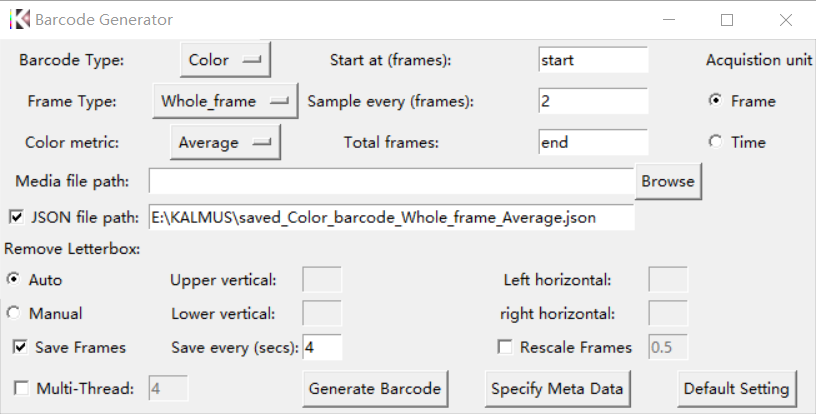
A new button (Default Setting) is added in the Generate Barcode window.
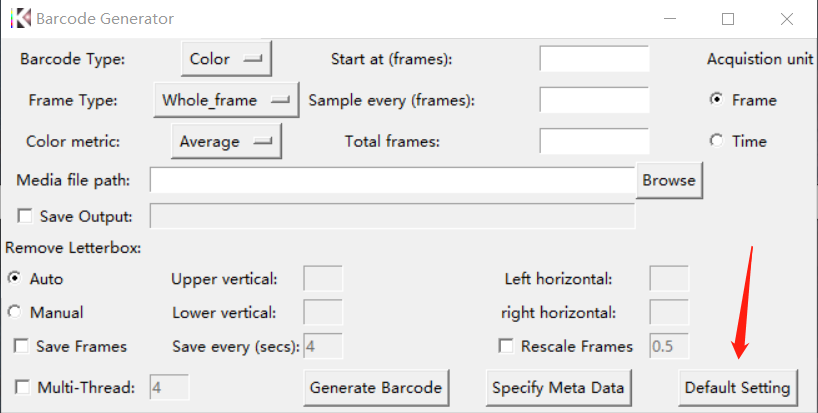
Clicking this button will fill in a set of default parameters for barcode generation:
- Barcode Type: Color
- Frame Type: Whole_frame
- Color Metric: Average
- Acquisition unit: Frame
- Start at: start (frame 0)
- Total Frames: end (whole video)
- Sample every: 2 (frames)
- Save output: Checked and if output path is not given, a default output path will be filled in.
- Remove letterbox: Auto
- Save Frames: Checked and save a frame every 4 seconds
- Rescale Frames: Unchecked
Changes
KALMUS GUI will now verify the extension of the output JSON/CSV file. If .json/.csv extension is missing, the GUI will automatically append it to the end of given path.
KALMUS GUI now gives warning to the users when saving barcode into JSON object fails.
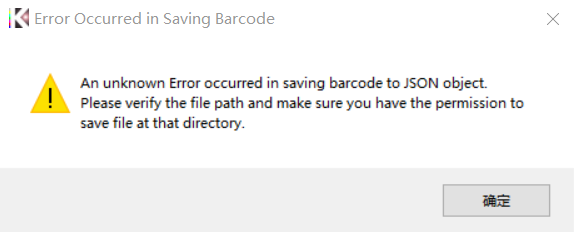
KALMUS GUI checks if a user selects a barcode when they try to save it as a JSON object. The software will attempt to save the barcode object only if a barcode is selected.
Fixes
Fixed the scikit-image ValueError which occurs when generating Hue vs. Light plot using show_colors_in_hue_light_scatter_plot.
REL: v1.3.11a alpha prerelease of KALMUS
This is the alpha prerelease of KALMUS 1.3.11 version.
Add features
A new button (Default Setting) is added in the Generate Barcode window.
Clicking this button will fill in a set of default parameters for barcode generation:
- Barcode Type: Color
- Frame Type: Whole_frame
- Color Metric: Average
- Acquisition unit: Frame
- Start at: start (frame 0)
- Total Frames: end (whole video)
- Sample every: 2 (frames)
- Save output: Checked and if output path is not given, a default output path will be filled in.
- Remove letterbox: Auto
- Save Frames: Checked and save a frame every 4 seconds
- Rescale Frames: Unchecked
Changes
KALMUS GUI will now verify the extension of the output JSON file. If .json extension is missing, the GUI will automatically append it to the end of given path.
KALMUS GUI now gives warning to the users when saving barcode into JSON object fails.
Fixes
Fixed the scikit-image ValueError which occurs when generating Hue vs. Light plot using show_colors_in_hue_light_scatter_plot.
REL: v1.3.10 release of KALMUS
Update 1.3.10
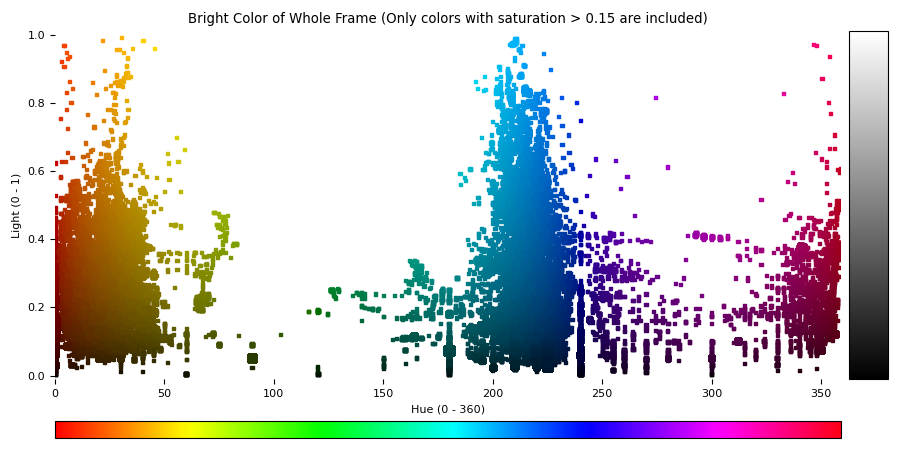
This is the official release of KALMUS 1.3.10 version. A new function for generating a Hue vs. Light scatter plot from a RGB colored image/barcode is available in the kalmus/utils/visualization_utils.py.
You can also access this functionality through the graphic user interface:
- Launch the GUI
- On the left panel, click Inspect Barcode button
- Select the Color barcode (either barcode 1 or 2)
- Under the bottom there will be a new button called Show Color in Hue Light Scatter. Click it, you will see a plot (like the one below) popped up.
Changes from the v1.3.10a
To avoid the artifacts created from the colorless data, we now exclude the colors with saturation lower than 0.15 when creating this scatter plot. This threshold can be customized in the programming API using the parameter saturation_threshold.
REL: v1.3.10a alpha prerelease of KALMUS
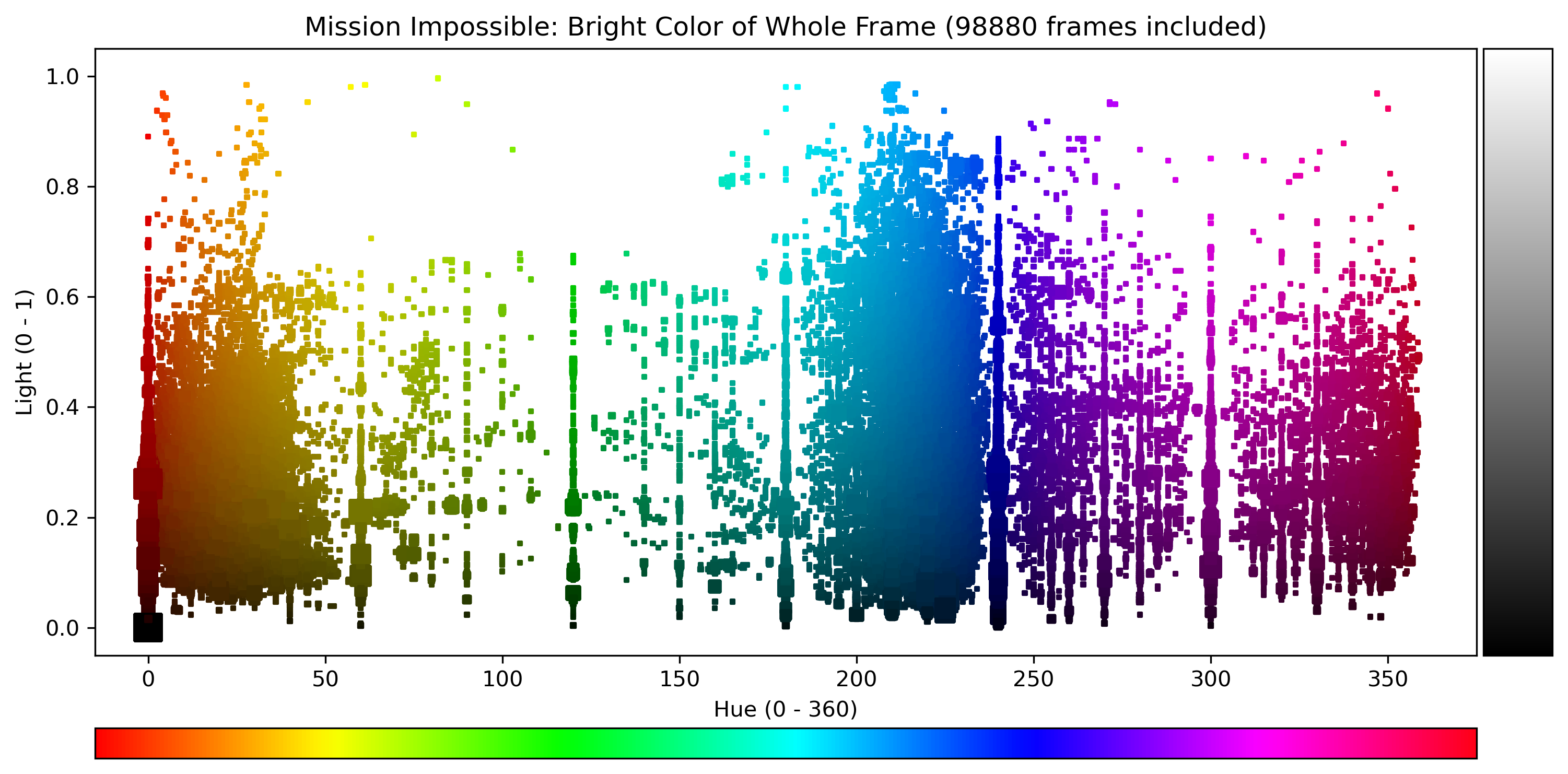
This is the alpha prerelease of KALMUS 1.3.10 version. A new function for generating a Hue vs. Light scatter plot from a RGB colored image/barcode is available in the kalmus/utils/visualization_utils.py.
You can also access this functionality through the graphic user interface:
- Launch the GUI
- On the left panel, click
Inspect Barcodebutton - Select the Color barcode (either barcode 1 or 2)
- Under the bottom there will be a new button called
Show Color in Hue Light Scatter. Click it, you will see a plot (like the one below) popped up.
REL: v1.3.9 JOSS release of KALMUS
Update 1.3.9
This is the JOSS approved release of KALMUS. The review of the software can be found here joss-reviews #3156.