This repository is built upon part of the code in course "Autonome Systeme" (LRG6300) taught at the Technical University of Munich(TUM), aiming to develop frameworks for our drone's autonomous exploration mission. It is based on a Unity virtual environment and implemented using the Robot Operating System (ROS). Final Group Report: report
- Qianru Li
- Ziou Hu
- Kecheng Zhou
- Dian Yu
- Wenjie Xie
- Ubuntu 20.04
- ROS noetic
Being in the main folder of your catkin workspace:
git clone https://github.com/helloYwen123/TUM_Autonomous_Systems.gitDownload the unity environment AutonomousSystem.zip from here and extract into src/simulation.
Extra packages need to be installed for running the program.
sudo apt install git wstool wget libtool apt-utils python3-catkin-tools
sudo apt install ros-${ROS_DISTRO}-octomap-rviz-plugins ros-${ROS_DISTRO}-octomap-server
sudo apt install ros-noetic-depth-image-project
sudo apt-get install ros-noetic-octomap ros-noetic-octomap-mapping
sudo apt-get install ros-noetic-ompl ros-noetic-fcl
After installation, build the project:
catkin build
source devel/setup.bash
Then launch global exploration_mission file:
roslaunch simulation mission.launchNote: To switch between RGB-mapping and Depth-mapping modes, you need to comment/uncomment the respective lines in the OctoMap YAML file within the Perception package.
Screenshots :
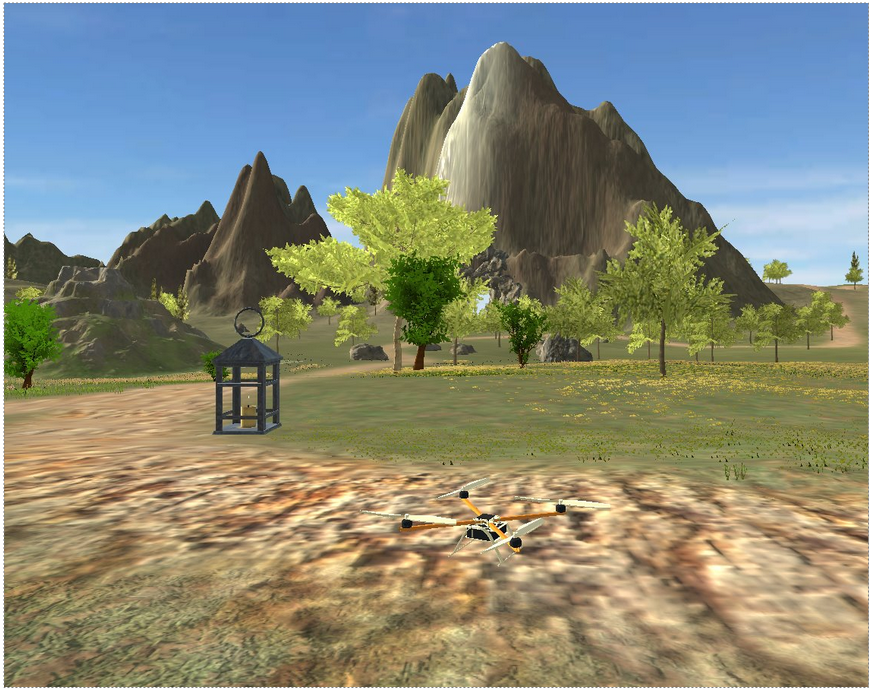
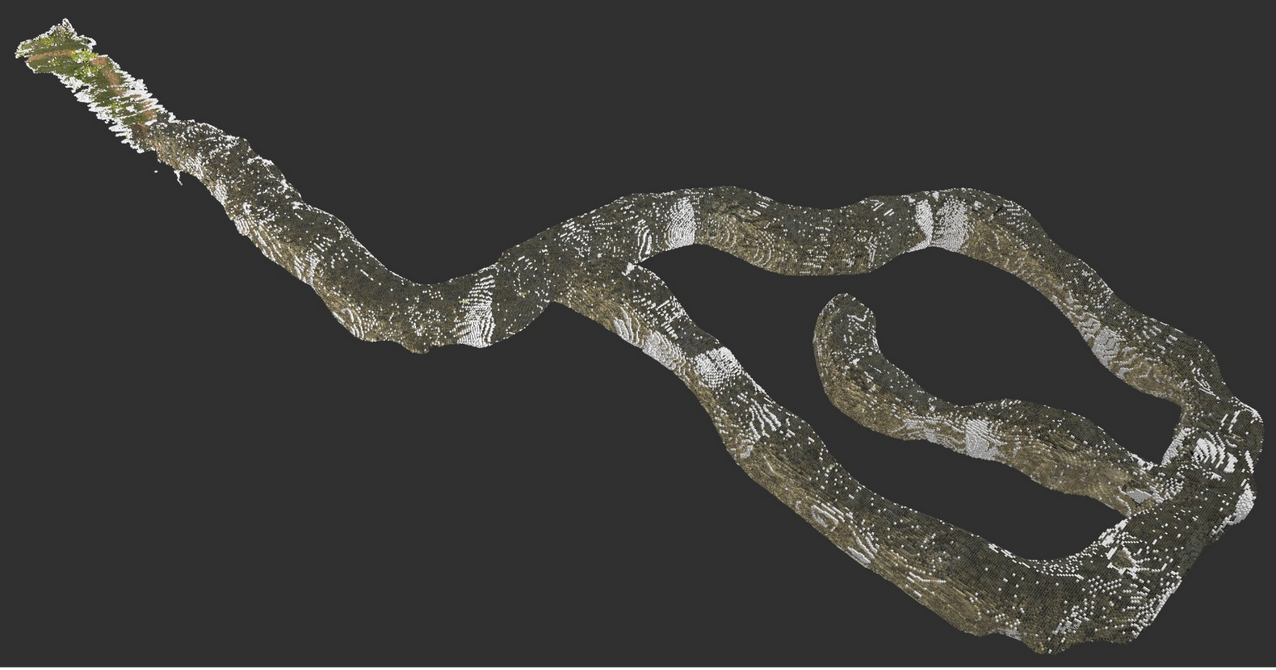
Exploration Videos :

✅ Find and locate four lights in the cave environment.
✅ Generate a 3D voxel-grid representation of the cave.
✅ Develop a state machine for the drone.
✅ Build the perception pipeline for environmental awareness.
✅ Implement a path planner and trajectory planner for autonomous navigation.
✅ Success in the full mission (Best Completion Time: 10 min 50 s)
The perception module implements two different approaches for mapping:: RGB Color Mapping ; Direct Depth Hight Mapping
RGB Color Mapping : The RGB Color Mapping approach utilizes multiple cameras mounted on the drone, including two RGB cameras, one depth camera, and one semantic camera. To address misalignment caused by different camera positions, the depth camera is first registered with the other cameras. Then, all pixel information is projected into a unified 3D point cloud, which is further processed to generate a 3D voxel representation using the OctoMap framework.
Direct Depth Hight Mapping : The Direct Depth Height Mapping approach follows a more straightforward process. It begins by projecting depth images into a 3D point cloud. The depth camera’s point clouds are then directly used to generate an OctoMap representation of the environment.
Both voxel maps generated from these approaches are essential for the Navigation Module, where they are utilized for obstacle avoidance and path planning.
- Octomap: A package which can get the occupancy Voxels and projected map from 3D point cloud data.
- Depth image Proc: A package is used for Sensor Registration and projecting Point Cloud.
- /merge_point_clouds
- /semantic_cloud
- /octomap_color_server_node
- /octomap_color_node
- /light_detection_node
- /occupied_cells_vis_array (occupied voxels)
- /octomap_full (contains all octomap information)
- /semantic_pcl/semantic_pcl (publishes semantic cloud)
- /point_cloud (Depth Point Cloud)
- /merged_color_point_cloud (merged color Point Cloud)
- /detected_points (position and index of detected points)
The Navigation module leverages the voxel maps (OctoMap) generated by the Perception module for both obstacle avoidance and path planning. It consists of a few key components to enable frontier-based exploration, global path planning, and trajectory generation, ensuring the drone can safely and efficiently navigate through partially known or unknown environments.
- Octomap: Provides 3D voxel occupancy mapping; used by both the frontier_exploration node and the Planner node for free/occupied checks.
- OMPL: Provides multiple sampling-based planning algorithms (e.g., RRT*, PRM*, Informed RRT*) for global path planning.
- FCL: Works with the OctoMap to perform collision checks and ensure a planned path is free of obstacles.
- mav_trajectory_generation: Converts sets of waypoints or higher-level goals into smooth polynomial trajectories, which can be published to the flight controller.
- PCL: For point cloud processing, including OPTICS clustering.
- /sampler
- /waypoint_navigation
- /Planner
- /frontier_exploration
- /octomap_full (ColorOctree for environment occupancy)
- /detected_points (positions of newly detected lights, used to expand exploration radius)
- /current_state_est (drone’s pose; optional usage for bounding box references)
- /planned_path (intermediate or final path, if used for RViz visualization)
- /goal_position (PoseStamped messages or raw position goals)
- /frontier_goal (the goal point from frontier exploration)
- /trajectory (polynomial trajectory for the drone to follow)
- /trajectory_markers (RViz visualization markers)
The Control module implements a geometric controller for the drone that tracks trajectories while maintaining stability. It uses a Linear Quadratic Regulator (LQR) for position control and a PD controller for attitude control. The module computes desired thrusts and torques for the quadrotor's rotors based on the current state and desired trajectory points.
- Eigen: For matrix operations and mathematical computations
- TF and TF Conversions: For coordinate frame transformations
- MAV Messages: For actuator commands and trajectory representations
- Navigation Messages: For odometry and state estimation
- /controller_node: Main geometric controller that converts desired trajectory points to rotor commands
- /traj_publisher: Generates and publishes trajectory points (can create static poses or circular trajectories)
- /traj_planner: Position and yaw controller using PID
- /command/trajectory: Desired state trajectory for the drone to follow
- /current_state_est: Current state (position, orientation, velocity) of the drone
- /rotor_speed_cmds: Actuator commands for the drone's rotors
- /desired_state: Trajectory waypoints published by trajectory planner
- /state_machine/expected_height: Expected flight height from state machine
The State Machine module manages high-level mission control for the drone, transitioning between different flight states based on the current situation and mission goals. It uses a finite state machine architecture to handle transitions between takeoff, navigation, hovering, and landing phases, and coordinates with the navigation and control modules.
- ROS core libraries
- Geometric libraries (Eigen, TF, TF2)
- Cubic spline interpolation for smooth trajectory generation
- Navigation and trajectory messages
- /state_machine: Main node implementing the finite state machine
- States include:
- TakeoffState: Controls drone takeoff
- ToCaveState: Navigates to cave entrance
- HoverState: Maintains position
- LandingState: Controls landing
- TurnState: Rotates to specific yaw angle
- ForwardState: Moves forward in specific direction
- /current_state_est: Current drone state used for decision making
- /planned_path: Path planning input from navigation module
- /command/trajectory: Commands sent to drone controller
- /goal_position: Current goal waypoint
- /frontier_goal: Goal point from frontier exploration