
A Django field that renders Markdown to sanitized HTML and stores both in your database.
Your text is stored in a MarkdownField. When the model is saved, django-markdownfield renders it
with markdown-it-py (by default),
sanitizes it with nh3, and stores the result in a
RenderedMarkdownField.
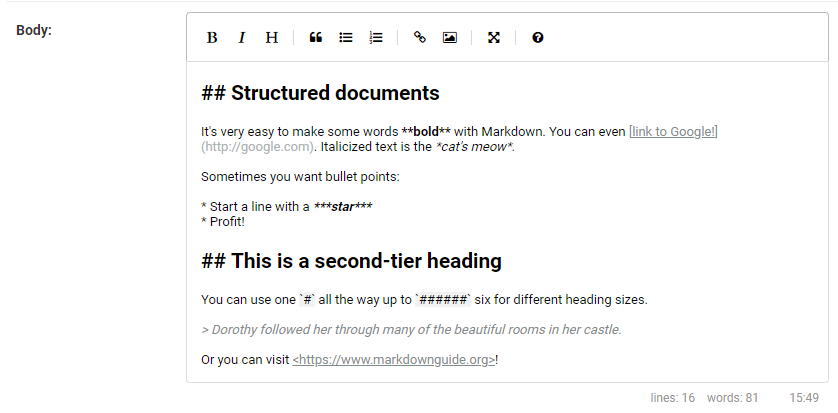
The rendering backend is swappable. Bundles EasyMDE (v2.20.0) for admin and frontend forms.
pip install django-markdownfieldAdd to INSTALLED_APPS and configure the rendering backend:
INSTALLED_APPS = [
    'markdownfield',
    ...
    'django.contrib.staticfiles',
]

MARKDOWNFIELD_BACKEND = 'markdownfield.backends.markdownit'
Backend configuration (plugins, HTML passthrough, custom backends) is covered in docs/backends.md. A python-markdown backend is also included (pip install django-markdownfield[pymarkdown]).
To enable the admin preview endpoint, add the URL configuration:
urlpatterns = [
    path('markdownfield/', include('markdownfield.urls')),
    ...
]Add a MarkdownField and a paired RenderedMarkdownField to your model:
from django.db import models

from markdownfield.models import MarkdownField, RenderedMarkdownField
from markdownfield.validators import VALIDATOR_STANDARD

class Page(models.Model):
    text = MarkdownField(rendered_field='text_rendered', validator=VALIDATOR_STANDARD)
    text_rendered = RenderedMarkdownField()
Whenever your model is saved, the RenderedMarkdownField will be updated automatically.
To display the rendered markdown in your template, just display the RenderedMarkdownField like any other field.
{{ page.text_rendered }}If you don't want to use a RenderedMarkdownField, use the template filter to render raw Markdown in your templates directly:
{% load markdownfield %}

{{ page.text|render_markdown }}
{{ page.text|render_markdown:"classy" }}
The argument is a validator name. Defaults to standard.
from markdownfield.rendering import render_markdown
from markdownfield.validators import VALIDATOR_STANDARD

html = render_markdown('**bold**', VALIDATOR_STANDARD)
Validators control which HTML tags and attributes survive sanitization, and which toolbar buttons appear in the editor.
| Validator | Tags | Use case |
|---|---|---|
VALIDATOR_STANDARD |
All standard Markdown tags | General content |
VALIDATOR_CLASSY |
Standard + class on links/images, data-* attributes |
Styled content |
VALIDATOR_NO_IMAGES |
Standard without images | User-generated content |
VALIDATOR_BASIC |
Inline only: bold, italic, strikethrough, code, links | Comments, bios |
VALIDATOR_NULL |
No sanitization | Dangerous. Allows XSS. |
Full details + custom validators are covered in docs/validators.md.
The EasyMDE editor is enabled automatically in admin and frontend ModelForms.
For frontend forms, you will need to include the form media in your template:
<head>
    {{ form.media.css }}
</head>
<body>
    <form method="post">
        {% csrf_token %}
        {{ form }}
        <button type="submit">Save</button>
    </form>
    {{ form.media.js }}
</body>
Disable per-field with use_editor=False (frontend) or use_admin_editor=False (admin).
EasyMDE options can be customized by overriding the widget in your form:
from markdownfield.widgets import MDEWidget

class PostForm(forms.ModelForm):
    class Meta:
        model = Post
        fields = ['text']
        widgets = {
            'text': MDEWidget(options={'toolbar': ['bold', 'italic', 'link']}),
}These settings control post-sanitization link handling. They apply regardless of which backend is used.
| Setting | Default | Description |
|---|---|---|
MARKDOWNFIELD_MARK_EXTERNAL_LINKS |
True |
Add target="_blank" and class="external" to external links. |
MARKDOWNFIELD_INTERNAL_URL |
None |
Your site's URL or a list of URLs (e.g. 'https://example.com' or ['https://example.com', 'https://cdn.example.com']). Links matching these are treated as internal. Without it, all links are treated as external. |
MARKDOWNFIELD_BLOCKED_LINK_DOMAINS |
[] |
List of domains whose links are stripped (link text preserved). |
rerender_markdown - re-renders all stored Markdown into their paired rendered fields. Run after upgrading django-markdownfield, changing validators, or switching backends.
python manage.py rerender_markdown
python manage.py rerender_markdown --dry-run- Backends - switching backends, python-markdown support, custom backends, plugins
- Validators - built-in validators, creating custom validators
MIT. See LICENSE.