

Have a home network lab and need something better than a spreadsheet to plan and track your networks? Perhaps a small business, or even a medium-sized business. Need integrated address planning, DNS and DHCP all rolled into one, but found other solutions much too complicated (Netbox) or too simple (Pi-hole)? CIDRella is lightweight IP Address Management system that requires minimal system resources (can be deployed as a container or LXC) and minimal learning curve.
Pronounced cider-ella, a lame, near-homophone of Cinderella. Why? It's complicated.
CIDR stands for Classless Inter-Domain Routing. Read about it here.
- DNS Management — Forward and reverse zones with A, CNAME, MX, TXT, SRV records and auto-incrementing SOA serial. Automatic generation of PTR reverse-DNS zones
- DHCP management — Scopes, options (global defaults + per-scope overrides), MAC reservations, lease tracking
- Domain blocklists — Ad/malware blocking with multiple categories and auto-updates
- GeoIP DNS filtering — Country-based DNS filtering with blocklist/allowlist modes
- Anomaly Detection — Unusual host resolution or query frequency, DGA detection, beaconing detection
- Analytics — Visualize DNS query data, Top 10 activity, system performance
- Network & Domain Inheritance — Dividing an allocated subnet migrates gateway, DHCP scopes, and ranges to the inheriting child
- Functional ranges — Define IP ranges (DHCP scopes, static, custom) with overlap detection and color coding
- IP address grid — Color-coded visual map with drag-select, shift-click range select, and context menu
- Network scanning & Rogue Detection — ARP/ping-based liveness scans with configurable intervals and per-subnet/per-IP enable inheritance
- Pi-hole import — Import DNS records, DHCP reservations, and settings from Pi-hole
- Backup & restore — Scheduled backups with retention policy, manual download, and upload restore
- Role based access control — RBAC with admin, dns_admin, dhcp_admin, and readonly roles
- In-app update checker — Periodic check against GitHub releases with UI notification
- Setup wizard — Guided first-run setup for interface binding, network creation, and Pi-hole import
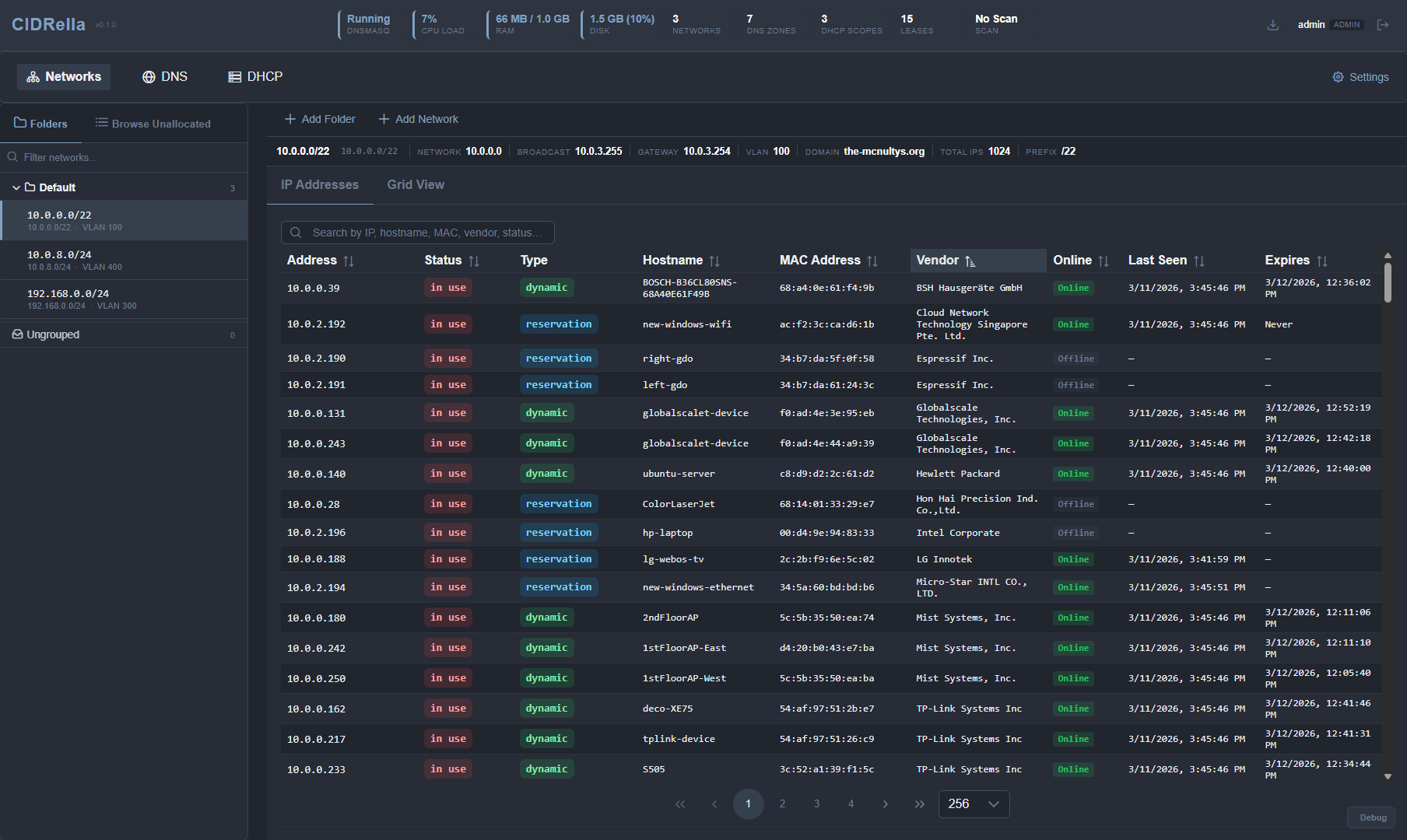
CIDRella targets 1–2 GB hosts. Per-IP bookkeeping in SQLite is the dominant memory cost, so very large allocated subnets (e.g. /10, /8) will outgrow modest hosts long before DHCP lease counts become the bottleneck. See docs/SIZING.md for the ceiling-per-host table and the math behind it.
Use caution: While no known vulnerabilities exist in this application, it would be unwise to expose its open ports on a public network. Always secure your infrastructure.
Only install CIDRella from the official GitHub releases. Starting with v0.4.1, every release tarball is cryptographically signed using minisign. Both the install script and the update script automatically verify the signature before applying changes. This ensures the tarball you are installing was built by the project maintainer and has not been modified. Do not install or update using a tarball obtained from any other source — there is no way to verify its authenticity or integrity.
Cloning the repository is suitable for development and code review. For production deployments, use the install script or a release tarball — these include the pre-built frontend and are signature-verified.
Download and review the install script, then run it:
curl -sSL https://raw.githubusercontent.com/fatcat/cidrella/main/scripts/install.sh -o install.sh
less install.sh    # review before running
sudo bash install.sh
The script installs all dependencies (Node.js, dnsmasq, minisign, etc.), downloads the latest signed release from GitHub, verifies the signature, and configures systemd services. See INSTALL-NATIVE.md for full details.
For development and testing:
docker compose up -dSee INSTALL-DOCKER.md for full details. Note: in-app updates are not available in Docker — update by pulling the latest image.
CIDRella checks for new releases on startup and every hour. When an update is available, a blue badge appears in the header bar.
In-app (native deployments): Navigate to System > Updates and click Install Update. CIDRella will download the release from GitHub, verify the signature, back up the current installation, and apply the update automatically.
Command line:
sudo cidrella-update               # update to latest
sudo cidrella-update --version 0.5.0  # update to specific version
The update script (/opt/cidrella/update.sh) backs up the current installation, downloads and verifies the signed release tarball, installs dependencies, and restarts services. Database migrations run automatically on startup.
Docker:
docker compose pull && docker compose up -dDo not apply updates using tarballs downloaded from sources other than the official GitHub releases. Manually extracting an unverified tarball bypasses signature verification and could compromise your network infrastructure.
| Layer | Technology |
|---|---|
| DNS/DHCP | DNSmasq |
| Backend | Node.js + Express |
| Frontend | Vue 3 + PrimeVue |
| Database | SQLite (better-sqlite3) |
| Database | DuckDB (for analytics and anomaly detection) |
| Custom | DNS proxy (for domain and country blocking) |
| Process Manager | s6-overlay (Docker), systemd (native) |
| Role | Description |
|---|---|
| admin | Full access to all features |
| dns_admin | Manage DNS records and zones |
| dhcp_admin | Manage DHCP scopes and reservations |
| readonly_dns | View DNS configuration |
| readonly_dhcp | View DHCP configuration |
| readonly | View all configuration |