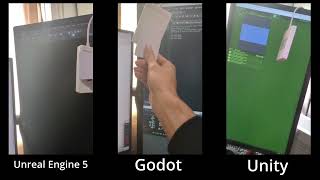
You can also watch the video directly:
http://www.youtube.com/watch?v=fMQwZRW1wng
If the repository was cloned without the --recursive flag, run:
git submodule update --init --recursive- Build the native library:
mkdir build
cd build
cmake ..
make
make install
To disable Godot support, run:
cmake .. -DBUILD_GODOT=OFF
cd csharp-unity
dotnet build ./csharp-unity.slnx- Copy the contents of:
csharp-unity/src/bin/netstandard2.0 - Place the following files in:
<Project Dir>/Assets/Plugins- libnfcDotNet.*
- Place all remaining files in:
<Project Dir>/Assets/Plugins/x86_64
- Copy the entire unreal directory into:
<Project Dir>/Plugins/UnrealLibNFC - Build the project using UAT (Unreal Automation Tool).
⚠️ Note The .so / .dll files may sometimes be placed in:<Project Dir>/Plugins/UnrealLibNFC/Binaries/Linux64instead of the expected Linux folder.
This appears to be an Epic Games build system issue.
If you built the project using CMake, copy:
<repo>/install/GDLibNFC
into:
<Project Dir>/addons/