A full-stack application that translates natural language questions into SQL queries. It uses a semantic metadata layer — business glossary, metrics definitions, data dictionary, and schema context — to give LLMs the context they need to generate accurate SQL against your databases.
┌─────────────────────────────────────────────┐
│        FRONTEND (React + TypeScript)        │
│  Query Interface │ Semantic Layer Mgmt UI   │
└────────────────────┬────────────────────────┘
                     │ REST API
┌────────────────────▼────────────────────────┐
│           BACKEND (FastAPI)                 │
│                                             │
│  ┌─────────────────────────────────────┐    │
│  │  SEMANTIC LAYER                     │    │
│  │  Context Builder → Prompt Assembler │    │
│  │  (embedding search + keyword match) │    │
│  └──────────────┬──────────────────────┘    │
│                 │                            │
│  ┌──────────────▼──────────────────────┐    │
│  │  LLM ORCHESTRATION                  │    │
│  │  Router → Composer → Validator →    │    │
│  │  Executor → Interpreter → ErrorLoop │    │
│  └──────────────┬──────────────────────┘    │
│                 │                            │
│  ┌──────────────▼──────────────────────┐    │
│  │  CONNECTOR LAYER (plugin system)    │    │
│  │  BaseConnector → PG, BQ, Databricks│   │
│  └─────────────────────────────────────┘    │
└─────────────────────────────────────────────┘
- Natural language to SQL — ask questions in plain English, get SQL + results + explanations
- Semantic metadata layer — business glossary, metric definitions, data dictionary, knowledge base, sample queries
- Knowledge import — import documentation (Confluence, wikis, HTML pages) to inject relevant business context into SQL generation
- Hybrid context selection — embedding similarity + keyword matching + foreign key graph traversal
- Multi-provider LLM — Anthropic Claude, OpenAI, Ollama (provider-agnostic design)
- 4 specialized LLM agents — Query Composer, SQL Validator, Result Interpreter, Error Handler
- Intelligent routing — routes simple/moderate/complex queries to appropriate models
- Plugin connector system — PostgreSQL, BigQuery, and Databricks built-in, extensible to MySQL, Snowflake, and more
- Security by default — read-only query execution, SQL blocklist, encrypted connection strings
- Query history — full execution log with favorites, retry counts, token usage
- Schema introspection — auto-discovers tables, columns, types, relationships from target databases
- Docker and Docker Compose
- An LLM API key (Anthropic and/or OpenAI) or Ollama for fully local operation
# Clone the repo
git clone <repo-url> querywise
cd querywise

# Create your .env (see .env.example)
cp .env.example .env
# Edit .env to add your API keys (or configure Ollama — see below)

# Start everything
docker compose up| Service | URL |
|---|---|
| Frontend | http://localhost:5173 |
| Backend API | http://localhost:8000 |
| API Docs (Swagger) | http://localhost:8000/docs |
| Ollama | http://localhost:11434 |
| App Database (pgvector) | localhost:5432 |
| Sample Database | localhost:5433 |
If QueryWise is running in Docker but your target PostgreSQL is running on the host machine, use:
postgresql://<user>:<password>@host.docker.internal:<port>/<database>
Example:
postgresql://qadmin:your-password@host.docker.internal:5434/Adventureworks_aw
On Linux, if host.docker.internal is not resolvable in your containers, add this to the backend service in docker-compose.yml:
extra_hosts:
- "host.docker.internal:host-gateway"- Select BigQuery as the connector type in the Add Connection form
- Enter your GCP Project ID
- Paste your service account JSON key (the full contents of the key file)
- Set the Dataset name (BigQuery's equivalent of a schema)
- Click Create, then Test and Introspect
The service account needs the BigQuery User role (or equivalent) to run queries. The connection credentials are encrypted at rest using Fernet encryption.
- Select Databricks as the connector type in the Add Connection form
- Enter the Server hostname (e.g.,
dbc-a1b2345c-d6e7.cloud.databricks.com) - Enter the HTTP path for your SQL warehouse or all-purpose cluster (e.g.,
/sql/1.0/warehouses/abc123) - Enter a Personal Access Token (
dapi...) - Set the Catalog (defaults to
main) and Schema (defaults todefault) - Click Create, then Test and Introspect
Works with both Unity Catalog (full INFORMATION_SCHEMA introspection including PKs/FKs) and Hive metastore (falls back to SHOW/DESCRIBE commands). Credentials are encrypted at rest.
- Open http://localhost:5173
- The IFRS 9 sample database is auto-configured on first startup — connection, schema introspection, glossary, metrics, dictionary, and knowledge are all seeded automatically
- Go to Query and ask a question like "What is the total ECL by stage?"
Note: Auto-setup is controlled by
AUTO_SETUP_SAMPLE_DB=true(default). Set tofalseto disable. For manual seeding, usepython backend/scripts/seed_ifrs9_metadata.py.
QueryWise can run entirely on local hardware using Ollama. No cloud API keys needed.
# Configure .env for Ollama
DEFAULT_LLM_PROVIDER=ollama
OLLAMA_MODEL=llama3.1:8b
OLLAMA_EMBEDDING_MODEL=nomic-embed-text
EMBEDDING_DIMENSION=768

# --- Or configure for Anthropic (Claude) ---
# DEFAULT_LLM_PROVIDER=anthropic
# DEFAULT_LLM_MODEL=claude-sonnet-4-20250514
# ANTHROPIC_API_KEY=your-anthropic-api-key
# OPENAI_API_KEY=your-openai-api-key          # Required for embeddings
# EMBEDDING_DIMENSION=1536

# --- Or configure for OpenAI ---
# DEFAULT_LLM_PROVIDER=openai
# DEFAULT_LLM_MODEL=gpt-4o
# OPENAI_API_KEY=your-openai-api-key
# EMBEDDING_DIMENSION=1536

# Start the stack (includes Ollama service)
docker compose up

#Provide ollama models on host or  pull the required models in docker (CPU) (first time only, Ollama only)
docker compose exec ollama ollama pull llama3.1:8b
docker compose exec ollama ollama pull nomic-embed-text
Switching providers: When you change EMBEDDING_DIMENSION (e.g., 768 → 1536), migration 002_configurable_embedding_dim automatically resizes vector columns and clears all existing embeddings — they are not portable across providers (different dimensions and incompatible vector spaces). Embeddings regenerate automatically on first use with the new provider. Your metadata (glossary, metrics, dictionary) is preserved; only the embedding vectors are reset.
GPU support: Uncomment the
deploy.resourcessection indocker-compose.ymlunder theollamaservice to enable NVIDIA GPU acceleration.
cd backend

# Create virtual environment
python3.12 -m venv .venv
source .venv/bin/activate

# Install dependencies
pip install -e ".[llm,dev]"

# Start PostgreSQL with pgvector (must be running on localhost:5432)
# Run migrations
alembic upgrade head

# Start the dev server
uvicorn app.main:app --host 0.0.0.0 --port 8000 --reloadcd frontend
# Install dependencies
npm install
# Start dev server (proxies /api to localhost:8000)
npm run devThe application requires two PostgreSQL databases:
- App database (with pgvector extension) — stores metadata, glossary, embeddings, query history
- Target database — the database you want to query with natural language
For development, docker compose up app-db sample-db starts both databases without the full stack.
| Variable | Default | Description |
|---|---|---|
DATABASE_URL |
postgresql+asyncpg://querywise:querywise_dev@localhost:5432/querywise |
App metadata database connection |
ENVIRONMENT |
development |
Environment name |
DEBUG |
false |
Enable debug mode |
ENCRYPTION_KEY |
dev-encryption-key-change-in-production |
Fernet key for encrypting stored connection strings |
CORS_ORIGINS |
["http://localhost:5173"] |
Allowed CORS origins (JSON list) |
DEFAULT_LLM_PROVIDER |
anthropic |
Default LLM provider (anthropic, openai, ollama) |
DEFAULT_LLM_MODEL |
claude-sonnet-4-20250514 |
Default model for SQL generation |
EMBEDDING_MODEL |
text-embedding-3-small |
Model for generating embeddings (OpenAI) |
EMBEDDING_DIMENSION |
1536 |
Embedding vector dimension |
DEFAULT_QUERY_TIMEOUT_SECONDS |
30 |
Max query execution time |
DEFAULT_MAX_ROWS |
1000 |
Max rows returned per query |
MAX_RETRY_ATTEMPTS |
3 |
Max SQL correction retries |
MAX_QUERIES_PER_MINUTE |
30 |
Rate limit |
MAX_CONTEXT_TABLES |
8 |
Max tables included in LLM context |
MAX_SAMPLE_QUERIES |
3 |
Max sample queries included in context |
OLLAMA_BASE_URL |
http://localhost:11434 |
Ollama server URL |
OLLAMA_MODEL |
llama3.1:8b |
Ollama model for completions |
OLLAMA_EMBEDDING_MODEL |
nomic-embed-text |
Ollama model for embeddings (768-dim) |
ANTHROPIC_API_KEY |
— | Anthropic API key (required if using Anthropic) |
OPENAI_API_KEY |
— | OpenAI API key (required if using OpenAI) |
AUTO_SETUP_SAMPLE_DB |
true |
Auto-create sample DB connection + seed metadata on startup |
SAMPLE_DB_CONNECTION_STRING |
postgresql://sample:sample_dev@sample-db:5432/sampledb |
Connection string for the auto-setup sample database |
VITE_API_URL |
http://localhost:8000 |
Frontend: backend API URL |
querywise/
├── docker-compose.yml              # 4 services: app-db, sample-db, backend, frontend
├── .env.example                    # Environment variable template
├── CLAUDE.md                       # Claude Code project conventions
├── README.md                       # This file
│
├── backend/
│   ├── Dockerfile
│   ├── pyproject.toml              # Python deps (fastapi, sqlalchemy, pgvector, etc.)
│   ├── alembic.ini                 # Migration config
│   ├── alembic/
│   │   ├── env.py                  # Async migration environment
│   │   └── versions/               # Migration files
│   ├── app/
│   │   ├── main.py                 # FastAPI app factory with CORS + lifespan
│   │   ├── config.py               # Pydantic BaseSettings (env vars)
│   │   ├── core/
│   │   │   ├── exceptions.py       # AppError, NotFoundError, ConnectionError, etc.
│   │   │   └── exception_handlers.py
│   │   ├── db/
│   │   │   ├── base.py             # SQLAlchemy DeclarativeBase
│   │   │   ├── session.py          # Async engine + session factory
│   │   │   └── models/
│   │   │       ├── connection.py   # DatabaseConnection (encrypted conn strings)
│   │   │       ├── schema_cache.py # CachedTable, CachedColumn, CachedRelationship
│   │   │       ├── glossary.py     # GlossaryTerm (with embedding vector)
│   │   │       ├── metric.py       # MetricDefinition (with embedding vector)
│   │   │       ├── dictionary.py   # DictionaryEntry (value mappings)
│   │   │       ├── knowledge.py    # KnowledgeDocument + KnowledgeChunk (with embedding vector)
│   │   │       ├── sample_query.py # SampleQuery (with embedding vector)
│   │   │       └── query_history.py# QueryExecution (full audit log)
│   │   ├── api/v1/
│   │   │   ├── router.py           # Aggregates all endpoint routers
│   │   │   ├── endpoints/
│   │   │   │   ├── health.py       # GET /health
│   │   │   │   ├── connections.py  # CRUD + test + introspect
│   │   │   │   ├── schemas.py      # Table listing + detail
│   │   │   │   ├── glossary.py     # Business glossary CRUD
│   │   │   │   ├── metrics.py      # Metric definitions CRUD
│   │   │   │   ├── dictionary.py   # Data dictionary CRUD
│   │   │   │   ├── sample_queries.py
│   │   │   │   ├── knowledge.py     # Knowledge document CRUD + URL fetch
│   │   │   │   ├── query.py        # POST /query (full pipeline), POST /query/sql-only
│   │   │   │   └── query_history.py# History list + favorite toggle
│   │   │   └── schemas/            # Pydantic request/response models
│   │   ├── services/
│   │   │   ├── query_service.py    # Full pipeline orchestrator
│   │   │   ├── connection_service.py# CRUD + encryption + test
│   │   │   ├── schema_service.py   # Introspect + cache
│   │   │   ├── embedding_service.py# Generate embeddings (OpenAI or Ollama)
│   │   │   ├── knowledge_service.py# Knowledge import (HTML parsing, chunking, embedding)
│   │   │   └── setup_service.py    # Auto-setup sample DB on startup
│   │   ├── semantic/               # *** Core IP ***
│   │   │   ├── context_builder.py  # Orchestrates all context selection
│   │   │   ├── schema_linker.py    # Vector + keyword search for relevant tables
│   │   │   ├── glossary_resolver.py# Resolves business terms, metrics, dictionary, knowledge
│   │   │   ├── prompt_assembler.py # Formats context into structured LLM prompt
│   │   │   └── relevance_scorer.py # Weighted scoring (embedding + keyword + FK)
│   │   ├── llm/
│   │   │   ├── base_provider.py    # BaseLLMProvider ABC
│   │   │   ├── provider_registry.py# Factory + caching for providers
│   │   │   ├── router.py           # Complexity estimation + model routing
│   │   │   ├── utils.py                # JSON repair for local model output
│   │   │   ├── providers/
│   │   │   │   ├── anthropic_provider.py # Claude (complete + stream)
│   │   │   │   ├── openai_provider.py    # GPT (complete + stream + embeddings)
│   │   │   │   └── ollama_provider.py    # Ollama (complete + stream + embeddings)
│   │   │   ├── agents/
│   │   │   │   ├── query_composer.py     # NL question → SQL
│   │   │   │   ├── sql_validator.py      # Static + schema validation
│   │   │   │   ├── result_interpreter.py # Results → NL summary
│   │   │   │   └── error_handler.py      # Error → corrected SQL (max 3 retries)
│   │   │   └── prompts/
│   │   │       ├── composer_prompts.py
│   │   │       └── interpreter_prompts.py
│   │   ├── connectors/
│   │   │   ├── base_connector.py    # BaseConnector ABC
│   │   │   ├── connector_registry.py# Plugin registry + connection caching
│   │   │   ├── postgresql/
│   │   │   │   └── connector.py     # PostgreSQL (asyncpg, connection pooling)
│   │   │   ├── bigquery/
│   │   │   │   └── connector.py     # BigQuery (google-cloud-bigquery, service account auth)
│   │   │   └── databricks/
│   │   │       └── connector.py     # Databricks (databricks-sql-connector, PAT auth)
│   │   └── utils/
│   │       └── sql_sanitizer.py     # Regex blocklist (DDL/DML/admin/injection)
│   ├── scripts/
│   │   └── seed_ifrs9_metadata.py   # Seeds glossary, metrics, dictionary via API
│   └── tests/
│       └── fixtures/
│           └── sample_seed.sql      # IFRS 9 banking sample data
│
└── frontend/
    ├── Dockerfile
    ├── package.json
    ├── vite.config.ts               # Dev proxy: /api → localhost:8000
    ├── tsconfig.json
    └── src/
        ├── main.tsx                 # MantineProvider + QueryClient + Router
        ├── App.tsx                  # Route definitions
        ├── api/
        │   ├── client.ts           # Axios instance
        │   ├── connectionApi.ts    # Connection endpoints
        │   ├── queryApi.ts         # Query + history endpoints
        │   ├── glossaryApi.ts      # Glossary + metrics + dictionary endpoints
│   └── knowledgeApi.ts     # Knowledge document CRUD + URL fetch
        ├── components/
        │   └── layout/
        │       └── AppLayout.tsx   # Mantine AppShell with sidebar nav
        ├── hooks/
        │   └── useConnections.ts   # React Query hooks for connections
        ├── pages/
        │   ├── QueryPage.tsx       # NL input → SQL preview → results table
        │   ├── ConnectionsPage.tsx # Add/edit/delete/test/introspect connections
        │   ├── GlossaryPage.tsx    # Business glossary term management
        │   ├── MetricsPage.tsx     # Metric definition management
        │   ├── DictionaryPage.tsx  # Column value mapping management
        │   ├── KnowledgePage.tsx   # Knowledge document import/manage (text + URL fetch)
        │   └── HistoryPage.tsx     # Query execution history + favorites
        └── types/
            └── api.ts              # TypeScript interfaces
When a user asks a natural language question, the system runs a 7-step pipeline:
"What is the total ECL by stage?"
    │
    ▼
┌─ 1. CONTEXT BUILDING ──────────────────────────────────┐
│  • Embed the question (OpenAI or Ollama nomic-embed-text) │
│  • Vector search: find similar tables, glossary, metrics │
│  • Keyword search: match table/column names directly     │
│  • FK expansion: include related JOIN tables             │
│  • Score & prune to top 8 tables                         │
│  • Resolve glossary terms, metrics, knowledge, dictionary│
│  • Assemble structured prompt with schema + context      │
└──────────────────────────────┬──────────────────────────┘
                               ▼
┌─ 2. LLM ROUTING ────────────────────────────────────────┐
│  Estimate query complexity (simple/moderate/complex)     │
│  Route to appropriate model (haiku → sonnet → opus)     │
└──────────────────────────────┬──────────────────────────┘
                               ▼
┌─ 3. SQL GENERATION ─────────────────────────────────────┐
│  QueryComposerAgent generates SQL from the prompt       │
│  Returns: SQL + explanation + confidence + tables_used   │
└──────────────────────────────┬──────────────────────────┘
                               ▼
┌─ 4. VALIDATION ─────────────────────────────────────────┐
│  Static check: regex blocklist (DDL, DML, injections)   │
│  Schema check: verify tables/columns exist via sqlparse │
│  If invalid → ErrorHandlerAgent retries (max 3x)       │
└──────────────────────────────┬──────────────────────────┘
                               ▼
┌─ 5. EXECUTION ──────────────────────────────────────────┐
│  Run SQL via connector (PG / BigQuery / Databricks)      │
│  Read-only transaction, statement timeout, row limit    │
│  If DB error → ErrorHandlerAgent retries (max 3x)      │
└──────────────────────────────┬──────────────────────────┘
                               ▼
┌─ 6. INTERPRETATION ─────────────────────────────────────┐
│  ResultInterpreterAgent generates NL summary            │
│  Returns: summary + highlights + suggested follow-ups   │
└──────────────────────────────┬──────────────────────────┘
                               ▼
┌─ 7. HISTORY LOGGING ───────────────────────────────────┐
│  Save to query_executions: question, SQL, results,     │
│  timing, tokens used, retry count, status              │
└─────────────────────────────────────────────────────────┘
The context builder is the product's core differentiator. It selects the most relevant schema context for each question using three strategies:
- Embedding similarity (50% weight) — cosine distance search via pgvector against table, column, glossary, and metric embeddings
- Keyword matching (30% weight) — extract keywords from the question, match against table/column names (exact, partial, substring)
- FK graph expansion (20% weight) — walk foreign key relationships from top-scoring tables to include necessary JOIN tables
Additional context layers are resolved independently and injected into the LLM prompt:
- Glossary & Metrics — keyword + embedding similarity search
- Knowledge chunks — top 5 by vector similarity with keyword ILIKE fallback
- Dictionary entries — all value mappings for columns in selected tables
- Sample queries — top 3 validated queries by embedding similarity (few-shot examples)
This ensures both semantic matches ("how much revenue" finds orders) and exact name matches ("the refunds table" finds refunds).
- Create
app/connectors/mydb/connector.pyimplementingBaseConnector:
from app.connectors.base_connector import BaseConnector, ConnectorType

class MyDBConnector(BaseConnector):
    connector_type = ConnectorType.MYSQL  # Add to ConnectorType enum if needed

    async def connect(self, connection_string, **kwargs): ...
    async def disconnect(self): ...
    async def test_connection(self) -> bool: ...
    async def introspect_schemas(self) -> list[str]: ...
    async def introspect_tables(self, schema) -> list[TableInfo]: ...
    async def execute_query(self, sql, params, timeout_seconds, max_rows) -> QueryResult: ...
async def get_sample_values(self, schema, table, column, limit) -> list: ...- Register in
app/connectors/connector_registry.py:
from app.connectors.mydb.connector import MyDBConnector
_CONNECTOR_CLASSES[ConnectorType.MYSQL] = MyDBConnector- Create
app/llm/providers/my_provider.pyimplementingBaseLLMProvider:
from app.llm.base_provider import BaseLLMProvider, LLMProviderType

class MyProvider(BaseLLMProvider):
    provider_type = LLMProviderType.OLLAMA

    async def complete(self, messages, config) -> LLMResponse: ...
    async def stream(self, messages, config) -> AsyncIterator[str]: ...
    async def generate_embedding(self, text) -> list[float]: ...
def list_models(self) -> list[str]: ...- Register in
app/llm/provider_registry.py.
All endpoints are under /api/v1.
| Method | Path | Description |
|---|---|---|
GET |
/connections |
List all connections |
POST |
/connections |
Create connection |
GET |
/connections/{id} |
Get connection |
PUT |
/connections/{id} |
Update connection |
DELETE |
/connections/{id} |
Delete connection |
POST |
/connections/{id}/test |
Test connection |
POST |
/connections/{id}/introspect |
Introspect schema |
| Method | Path | Description |
|---|---|---|
GET |
/connections/{id}/tables |
List tables |
GET |
/tables/{table_id} |
Table detail (columns, relationships) |
| Method | Path | Description |
|---|---|---|
GET/POST |
/connections/{id}/glossary |
List/create glossary terms |
GET/PUT/DELETE |
/connections/{id}/glossary/{term_id} |
Get/update/delete term |
GET/POST |
/connections/{id}/metrics |
List/create metrics |
GET/PUT/DELETE |
/connections/{id}/metrics/{metric_id} |
Get/update/delete metric |
GET/POST |
/columns/{col_id}/dictionary |
List/create dictionary entries |
PUT/DELETE |
/columns/{col_id}/dictionary/{entry_id} |
Update/delete entry |
GET/POST |
/connections/{id}/knowledge |
List/create knowledge documents |
GET/DELETE |
/connections/{id}/knowledge/{doc_id} |
Get/delete knowledge document |
POST |
/knowledge/fetch-url |
Fetch URL and return parsed content |
GET/POST |
/connections/{id}/sample-queries |
List/create sample queries |
PUT/DELETE |
/connections/{id}/sample-queries/{sq_id} |
Update/delete sample query |
| Method | Path | Description |
|---|---|---|
POST |
/query |
Execute NL query (full pipeline) |
POST |
/query/sql-only |
Generate SQL without executing |
| Method | Path | Description |
|---|---|---|
GET |
/query-history |
List query history |
GET |
/query-history/{id} |
Get single execution |
PATCH |
/query-history/{id}/favorite |
Toggle favorite |
| Method | Path | Description |
|---|---|---|
GET |
/health |
Health check |
The project includes a sample IFRS 9 banking database (auto-seeded via Docker) modelling Expected Credit Loss (ECL) provisioning, staging, and impairment:
| Table | Rows | Description |
|---|---|---|
counterparties |
20 | Bank customers/borrowers with segment (retail/corporate/sme), credit rating, default flag |
facilities |
25 | Loan facilities — mortgage, corporate loan, consumer loan, credit card, overdraft |
exposures |
25 | Monthly exposure snapshots — EAD, carrying amount, IFRS 9 stage (1/2/3), days past due |
ecl_provisions |
25 | Expected Credit Loss calculations — PD, LGD, ECL 12-month, ECL lifetime per exposure |
collateral |
14 | Collateral linked to facilities — property, cash, guarantee, securities |
staging_history |
30 | Stage transition audit trail — from/to stage, reason, effective date |
Connection string: postgresql://sample:sample_dev@sample-db:5432/sampledb (from within Docker) or postgresql://sample:sample_dev@localhost:5433/sampledb (from host).
All metadata is auto-seeded on startup when AUTO_SETUP_SAMPLE_DB=true (default). For manual seeding, run:
python backend/scripts/seed_ifrs9_metadata.pyAuto-setup populates:
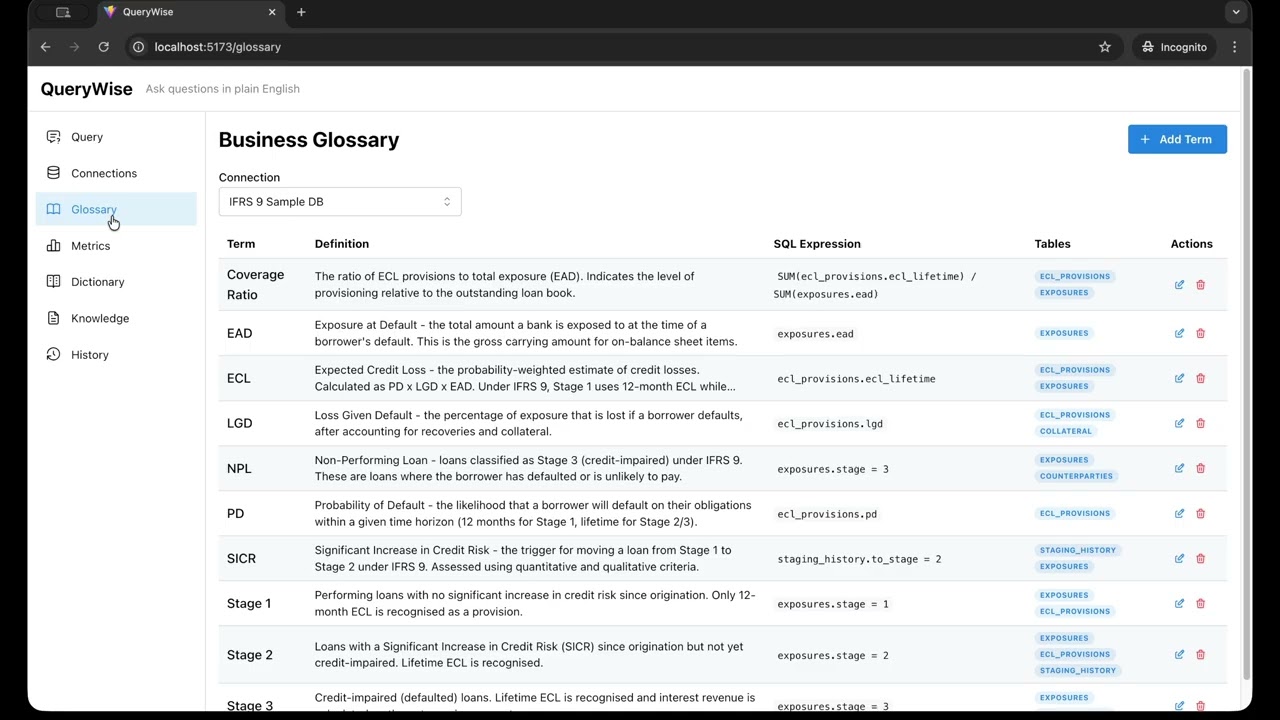
- 10 glossary terms: EAD, PD, LGD, ECL, Stage 1/2/3, SICR, Coverage Ratio, NPL
- 8 metrics: Total ECL, Total EAD, Coverage Ratio, Stage 1/2/3 Exposure, Average PD, NPL Ratio
- 43 dictionary entries: stage codes, facility types, customer segments, collateral types, staging reasons, credit ratings, default flags, currencies, revolving indicators
- 1 knowledge document: IFRS 9 Staging & ECL Policy Summary (staging criteria, ECL calculation, collateral rules, stage migration, reporting dimensions)
- Read-only execution — PostgreSQL queries run inside
SET TRANSACTION READ ONLY; BigQuery and Databricks enforce read-only via SQL blocklist - SQL blocklist — static regex patterns block DDL (
DROP,ALTER,CREATE), DML (INSERT,UPDATE,DELETE), admin commands (GRANT,COPY,EXECUTE), injection patterns (pg_sleep,dblink, stacked queries), BigQuery-specific operations (EXPORT DATA,LOAD DATA), and Databricks-specific operations (COPY INTO,OPTIMIZE,VACUUM) - Encrypted credentials — connection strings encrypted at rest using Fernet (AES-128-CBC)
- Statement timeout — configurable per connection (default 30s)
- Row limits — configurable per connection (default 1000 rows)
- CORS — restricted to configured origins
- Connection strings never exposed — API returns
has_connection_string: boolean, never the actual string
MIT